
Close Menu
  • MAKİNELER ve İMALAT
    • Tools & Equipment
    • Computer-Aided Drawing
    • CAD/CAM Education
    • CNC Machine Programming
    • Casting Technologies
    • Electrical & Electronics Technologies
    • Hydraulics & Pneumatics
    • Manufacturing Processes
    • Manufacturing Technologies
    • Occupational Safety
    • Mold & Die Design
    • Solid Modeling
    • Welding Technology
    • Machine Elements
    • Mechanical Trade Drawing
    • Materials Science
    • Automotive & Vehicle Technologies
    • Robotics Technologies
    • Health Technologies
    • Defense & Aerospace Technologies
    • Descriptive Geometry
    • Technical Drawing
    • Software & Hardware Technologies
    • Innovative Manufacturing Methods
  • TEKNOLOJİ ve YAŞAM
    • OTOMOBİLLER ve TAŞIT
      • Vehicle & Engine Knowledge
      • Safe Driving
      • Sürüş Destek Sistemleri
    • Genel Kültür
      • Movies & TV Shows
      • Görsel ve Grafik Sanat
      • Books & Literature
      • Music
      • Sports
      • History
      • History of Technology
    • GÜNDELİK YAŞAM TEKNOLOJİLERİ
    • Hobbies & Entertainment
    • Internet Technologies
    • Health
    • Mobile Technologies
Makine Eğitimi
  • Machines & Manufacturing
    Machine Elements
    Hydraulics & Pneumatics
    Technical Drawing
    Computer-Aided Design & Manufacturing
    Basic Manufacturing Processes
    Manufacturing Processes
    Industry Technologies
    Other Technical Courses
    Motion & Power Transmission
    Simple Machines
    Chains & Sprockets
    Shafts & Journals
    Gears
    Cams
    Couplings
    Belts & Pulleys
    Springs
    Bearings
    Keys
    Fastening Joining
    Retaining Rings
    Screws, Bolts & Nuts
    Cotter Pins
    Flanges
    Welding
    Rivets
    Pins & Bolts
    Washers
    Calculators
    Gear Ratio Calculator
    Spring Constant Calculator
    Belt Pulley Ratio Calculator
    Other Machine Elements
    Slides & Linear Guides
    Brakes
    Flywheels
    Clamps
    Shock Absorbers
    Gaskets & O-Rings
    Seals & Sealing Elements
    Hydraulics
    Introduction to Hydraulics & Principles
    Hydraulic Systems & Applications
    Accumulators
    Filters
    Motors
    Pumps
    Valves
    Pneumatics
    Introduction to Pneumatics & Principles
    Pneumatic Systems & Applications
    Pneumatic Circuit Components
    Valves
    Cylinders
    Silencers
    Motors
    Compressors
    Dryers
    Conditioning Units
    Common Topics & Maintenance
    Hydraulic & Pneumatic Maintenance
    Study Notes, Exams & Tests
    Technical Drawing
    Introduction to Technical Drawing
    Geometric Drawings
    Perspective & Projection
    Orthographic Views
    Dimensioning
    Sectioning
    Assembly & Detail Drawings
    Tolerances
    Surface Finish Symbols
    Mechanical Engineering Drawing
    Screws, Bolts & Nuts
    Pulley Drawings
    Gear Drawings
    Shafts & Journals
    Bearing Drawings
    Pins & Bolts
    Spring Drawings
    Welds in Technical Drawing
    Washers
    Cotter Pins
    Technical Drawing Exercises
    Mechanical Drawing Exercises
    Gear Exercises
    View Extraction Exercises
    Pulley Exercises
    Pin & Bolt Exercises
    Threaded Fastening Exercises
    Descriptive Geometry
    Computer-Aided Drawing
    AutoCAD Drawing Lessons
    Solid Modeling & Animation
    Solid Model Drawing Files
    Solid Model Assembly Examples
    Solid Model Drawing Lessons
    3D CAD Software Reviews
    Solid Modeling Exercises
    CNC Programming
    CAM
    Measurement & Inspection
    Dial Indicators
    Calipers
    Gauges
    Micrometers
    Materials Science
    Steels
    Cast Iron
    Aluminum
    Plastics
    Material Testing & Hardness Measurement
    Occupational Safety
    Workshop Safety
    Safety When Working With Electricity
    Machine Safety Rules
    Hand Operations
    Filing
    Marking
    Cutting Operations
    Reaming
    Tapping
    Threading With a Die
    Drill Bit Sharpening
    Working With Machines
    Basic Turning Operations
    Basic Milling Operations
    Shaper Machine
    Machining
    Turning
    Milling
    Grinding
    Innovative Manufacturing Methods
    EDM (Electrical Discharge Machining)
    Laser Machining
    Waterjet Machining
    3D Printing
    3D Scanners
    Welding
    Rolling
    Casting
    Mold & Die Design
    Mechanical & Hydraulic Presses
    Blanking & Piercing Dies
    Bending Dies
    Drawing Dies
    Plastic Injection Molds
    Extrusion Dies
    Compound Dies
    Progressive Dies
    Blow Molds
    Spinning Dies
    Spray Molds
    Manufacturing of Machine Parts
    Automotive & Vehicle Technologies
    Motor Vehicle Manufacturing
    Raw Material Production
    History of Technology
    Health & Medical Technologies
    Defense & Aerospace
    Robotics Technologies
    Software & Hardware Technologies
    Mechanics - Strength of Materials
    Physics Topics
  • Technology & Life
    Hobbies & Entertainment
    Sports
    Music
    Vehicle & Engine Knowledge
    Vehicle Maintenance & Repair
    Safe Driving
    Driver Assistance Systems
    History
    Movies & TV Shows
    Books & Literature
    Computers & Internet
    Computer Tips
    Software Reviews
    Hardware & Peripherals
    Practical & Safe Internet Use
    Visual & Graphic Art
    Mobile Technologies
    Travel
    Science
    Health
    First Aid Knowledge
    Everyday Technologies
Makine Eğitimi
Home»Software & Hardware Technologies»The Best Free Open-Source CAD Software
29 August 2026

The Best Free Open-Source CAD Software

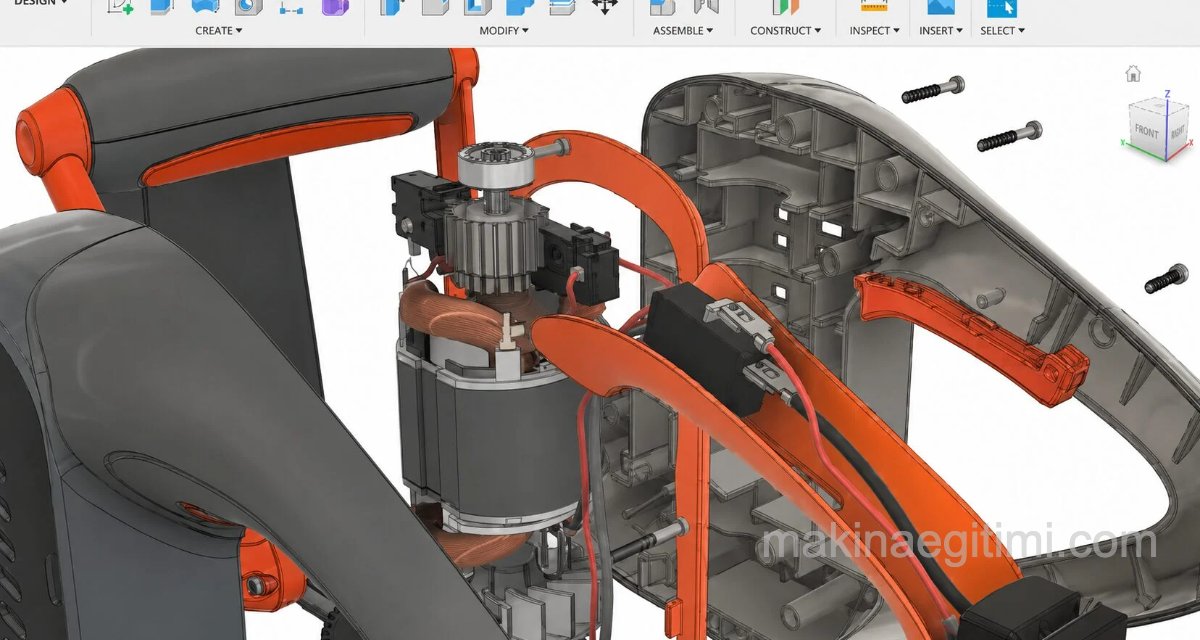
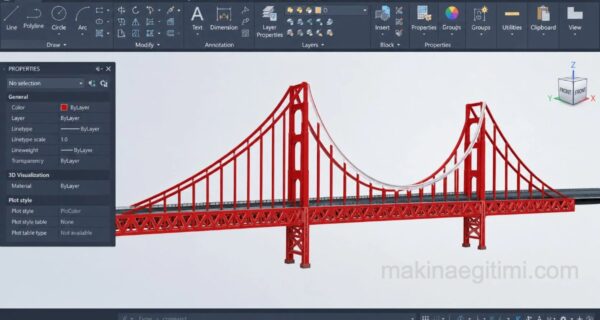
laptop solidworks screen and solid model

Every CAD program on this list can handle a wide range of functions, from parametric modeling to numerical simulation. Despite costing nothing, the software tools on this list perform exceptionally well, and many professionals prefer using these programs over paid CAD technology.

  • The Best Free CAD Programs
    • FreeCAD
    • QCAD
    • LibreCAD
    • Salome
    • NanoCAD
  • Related Questions

The Best Free CAD Programs

Better still, almost all of these tools have a supportive user community, with active online forums for discussions, tutorials, and troubleshooting. 

FreeCAD

A popular and powerful CAD program that’s been on the market since 2002,  FreeCAD can feel a bit intense for those new to the world of CAD programs, but it’s a real contender for more experienced users looking for an open-source program with extensive features.

With wide format availability ( STL , OBJ , SVG, STEP , and more) and the fact that all objects are natively parametric, this program truly offers a range of possibilities for the user.

best free cad software freecad
  • Where to download it: FreeCAD
  • Source files: GitHub
  • Operating systems: Windows, macOS, Linux
  • CAD types: 2D, 3D
  • Ideal for: Intermediate/advanced CAD users interested in a wide range of engineering features

Especially popular in architecture and engineering fields, FreeCAD allows for complex 3D operations as well as basic 2D drafting and many features in between. It can also boast that it works nearly identically across all three major operating systems.

QCAD

If you want to create drawings, building plans, or preliminary drafts, QCAD is an excellent choice. It has an excellent range of CAD tools for 2D purposes, including a library browser offering thousands of free plug-in CAD elements.

best free cad programs qcad
  • Where to download it: QCAD
  • Source files: GitHub
  • Operating systems: Windows, macOS, Linux
  • CAD type: 2D
  • Ideal for: All user levels looking for drafting and technical design

It’s user-friendly, especially for beginners, has a clean interface, and also has a helpful system-analysis tool to help spot potential errors. It’s limited to 2D only, but depending on your use case, that may be all you need. The QCAD community edition is free to use, and comes with a free trial of the professional edition. 

LibreCAD

With an easy installation process, availability in multiple languages, and an interface similar to AutoCAD, this highly intuitive CAD software is excellent for basic sketch design and planning.

simple cad program librecad
  • Where to download it: LibreCAD
  • Source files: GitHub , SourceForge
  • Operating systems: Windows, macOS, Linux
  • CAD type: 2D
  • Ideal for: Beginner/intermediate users interested in interior design and architectural planning

LibreCAD is a lightweight tool, and users report it’s especially good for architectural work and CAM purposes like laser cutting .

It has an easily customizable appearance and is a good choice for beginners to 2D CAD software, since it’s simple and isn’t overloaded with options and extras. It’s completely open source, and there’s no paid version of the program.

Salome

With a wide range of modeling capabilities, including discrete event and turbulence modeling,  Salome offers an efficient general-purpose platform. It’s an ideal program for the research and manufacturing sectors.

salome cad software
  • Where to download it: Salome
  • Source files: GitHub
  • Operating systems: Windows, Linux
  • CAD types: 2D, 3D
  • Ideal for: Users of any level looking for modeling software for research

The software has a great tool selection, especially for meshing, and lets users write their own scripts through the Python interface. It also has great simulation, design analysis, and rendering capabilities, and can be used by CAD enthusiasts of any level. Comparable programs include SimCAD Pro and SimScale.

NanoCAD

With an open API and powerful drafting capabilities,  NanoCAD is a good option for those looking for a free program similar to AutoCAD, and it’s often referred to as the open-source version of AutoCAD . As the name suggests, it’s designed to be exceptionally compact.

nanocad free program similar to autocad
  • Where to download it: NanoCAD
  • Source files: GitHub
  • Operating system: Windows
  • CAD type: 2D, 3D (paid only)
  • Ideal for: Intermediate/advanced users looking for an alternative to AutoCAD for drafting and modeling

The free version is admittedly older, but it features a customizable toolbar and supports DirectX graphics with a very user-friendly interface that’s genuinely comparable to AutoCAD.

NanoCAD also offers paid versions that expand on the free version’s feature set, including the addition of 3D modeling. That said, the basic free version is quite versatile on its own for 2D work.

FreeCAD’s Parametric Structure


Despite being open source, FreeCAD offers features similar to professional CAD software thanks to its support for parametric modeling.

Tinkercad’s Ease of Use


Tinkercad is a popular choice for those new to CAD, thanks to its simple, browser-based interface.

Community Support


Open-source CAD software offers free educational material and support thanks to large user communities.

Related Questions

Some open-source programs, like FreeCAD, include professional features such as parametric modeling and broad file format support. This is why many professionals can end up preferring these programs over paid alternatives.

Most of these programs have active online forums where users ask questions and share experience. A beginner can find solutions and tutorial content from these communities instead of official support.

Related Posts

HDD Partitioning and Merging Program EaseUS PM DOWNLOAD HDD Partitioning and Merging Program EaseUS PM DOWNLOAD laptop with SolidWorks screen and a solid model Best 5 CAD Software Programs for Furniture Design fusion 360 interface Differences Between Fusion 360 and AutoCAD Changing the Mac OS X Screenshot Save Location Changing the Mac OS X Screenshot Save Location Best Laptops Ranking The Best Laptops of 2022 laptop with SolidWorks screen and a solid model Best Jewelry Design Programs What to Watch for When Buying a Laptop? What to Watch for When Buying a Laptop? how to increase fps in games How to Increase FPS in Games


3D CAD Software Reviews
Share. Facebook Twitter WhatsApp Tumblr Email Telegram Copy Link

Leave A Reply Cancel Reply

The Birth and Golden Age of Jazz: From New Orleans to the World
Why Does an Engine Misfire? Engine Misfire Problem
  • Contact
  • Terms of Service
  • Privacy & Cookie Policy

Type above and press Enter to search. Press Esc to cancel.