

In this article we’ve prepared a detailed guide for those wondering what to look out for when buying a laptop. If you’re wondering what to pay attention to when buying a laptop, read on. The criteria we should consider when buying a laptop, based on our budget and needs, are as follows:
Lately, users looking for good laptop recommendations have been drawing attention. This is completely normal — nobody wants to have problems with an electronic device they’ll use for at least 3-5 years, let alone feel like they threw their money away.
While some laptops stand out for their graphics and speed performance, others draw attention for their stability, quiet operation, low heat, or battery performance. If you want most of these in the same computer, the price can get steep. Anyone buying a laptop first needs to determine their needs and budget.
We can list the things to watch for when buying a laptop as follows:
Things to Watch for When Buying a Laptop
It would be unrealistic to want all of these at once. You might say “let’s have it all, my budget is enough.” But some features require cutting back on others.
For example, you might want a speed and graphics monster, with USB and HDMI ports, but also a thin design. And at the same time you want great battery life. Meeting all these features at once currently seems very hard even for laptop manufacturers. The best approach is to determine our needs and shape our choice around them. Let’s look at what to watch for when buying a laptop;
Processor and RAM Match
At least 8 GB of RAM is recommended for everyday use, and 16 GB or more for heavy workloads.
Screen Resolution
Full HD (1920×1080) resolution is now considered the minimum standard screen quality.
Battery Capacity (Wh)
Laptop battery life depends on the capacity specified in watt-hours (Wh) and the processor’s power efficiency.
What to Watch for When Buying a Laptop?
Processor Performance
These days, with i9 processors following the i7s, and core counts like 4-core, 8-core, and 16-core flying around, it’s natural to wonder which processor to choose. AMD or Intel? i5 or i7? Would an i3-powered computer be enough?

Our clearest processor advice on this topic is to stay away from computers with Celeron and Atom processors. They’re really weak. Atom processors are used especially in mini laptops. If you want a tiny laptop that’s more like an agenda, pay attention to the processor. Atom processors can even struggle to play videos on the web. If you’re a user who “writes documents in Word, prepares presentations in PowerPoint, and carries work from home to the office,” you’ll be fine.
If you’re a typical home/office user: that is, if you use your computer for writing, preparing presentations, and browsing the internet, almost all laptops on the market will meet your processor requirements. Even an i3 from the Intel i-series will easily cover your needs, because the tasks we’re describing don’t strain the processor.
If you work in 2D-3D graphic design: current processors (i3 included) will meet your needs. However, at least an i5 processor is recommended.

If you work in audio/video editing: video editing, especially editing 4K video, is one of the tasks that strains a processor the most. If you’re a YouTuber or work professionally with music, and time is money for you, you should choose as high-end a processor as possible. Waiting 25 seconds instead of 45 seconds for a video to render is obviously more comfortable, and for some users it’s a genuine advantage.

If you’re a gamer: the 3D games released in recent years have taken graphics quality so far that genuinely powerful processors are needed to process the graphics used and display them on screen instantly. In fact, processor power alone isn’t enough — dedicated graphics cards with high-power GPUs are needed to take the load off the processor. Of course, we’re not talking about games like Solitaire or chess. If you’re thinking of a laptop as a gaming computer, and you don’t want to deal with freezing, stuttering, overheating, or lag in games, the processor absolutely needs to be at least an i7. Let’s look at what else to watch for when buying a laptop — the other criteria.
Graphics Performance
If you use your computer for office work or browsing the web: as far as graphics performance goes, virtually every laptop on the market will do the job. To get a better price, you can choose laptops with an integrated graphics card (onboard).
If you work in graphic/web design and photography: again, many computers on the market with integrated graphics cards will do the job.
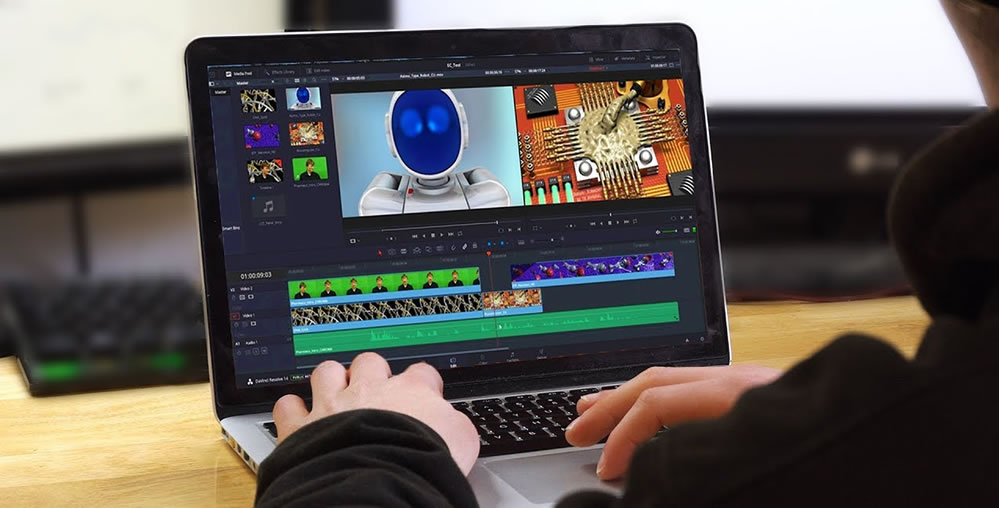
If you work in video editing: especially if you work with 4K video, even though computers with integrated graphics cards can often handle it, a computer with a dedicated graphics card is recommended to get your work done faster.
If you work with 3D graphics: if you work with 3D programs like AutoCAD, 3ds Max, SolidWorks, Maya, or CATIA, a computer with an integrated graphics card will run these programs. Even so, for the sake of comfort, a laptop with a dedicated graphics card is recommended.
If you play 3D games on your computer: especially for 3D games released in recent years (like RDR2, Forza 5, GTA 5, Far Cry 6), a computer with a high-end dedicated graphics card is absolutely required.
Memory (RAM) Capacity
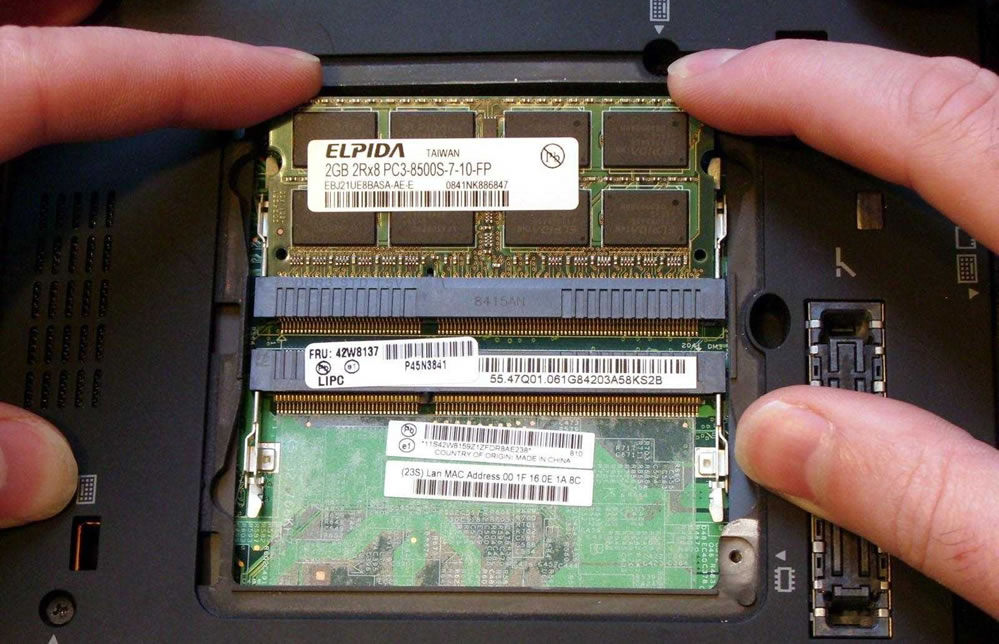
Considering today’s minimum memory requirements for the operating system and the basic software people use, you need at least 4GB of RAM. Let’s note that if your computer has 4GB of RAM, no matter what you do, you’ll frequently experience freezing and slowdowns. Today we see laptops with memory amounts like 4GB, 8GB, 16GB, and 32GB. Most commonly, 8GB.
Is 8GB of RAM Enough?
These days (as of 2022, when this article was written), many computers come with 8GB of RAM. This amount is enough for most users. To decide on your computer’s memory, you’ll look at two things: your usage habits and the software you use. For example;
If you’re a user who says “I only browse the web, but then I find I’ve opened 30-40 Chrome tabs, and I need them all while I’m working,” our recommendation is to consider 16 GB of RAM. This will keep you free from problems like freezing, stuttering, and slowdowns on your computer.
Some software you’re planning to use may not run with 8GB of RAM. Especially the current versions of 3D games and 3D design programs released in recent years. On this topic, you should check the software’s minimum memory requirements (system requirements). For example, SolidWorks 2021 needs 16 GB or more.
If you’re a Macbook user and you intend to run both Windows and macOS at the same time with the help of Parallels Desktop software, 8 GB of memory may not be enough. Remember that you’ll be dedicating part of the system memory to running Windows.
Storage Space
Our first piece of advice on storage is to definitely choose an SSD (Solid State Drive). SSD drives are definitely better in terms of boot-up/shutdown time and data transfer speed, due to their structure. Many software programs now also recommend using an SSD drive for a smooth and fast experience.

The size of the storage is up to your preference. Budget-friendly laptops usually come with 256 GB of SSD storage. If you think “that’s enough for me, I can handle the rest with a USB drive, an external disk, or a cloud service,” why not? Nowadays cloud storage services can provide up to 50 GB even on their free plans. For example, https://mega.nz/ gives 20 GB of space as soon as you sign up. If you invite a friend, this space goes up to 50 GB. Another cloud storage service, Google One, gives 15 GB of storage on its free plan.
Dimensions, Weight, Thinness
Here, visual taste and usage habits come into play. Ultrabook-style thin designs look much more stylish visually, but as the design gets thinner, the price rises and you may have to give up some external ports. If you have requirements like “I’ll always use my laptop on a desk at the office, I want USB ports, a wired internet (Ethernet) port, an HDMI port, and even a VGA port to connect a projector,” you might not want to choose a thin/light design.

But if you say “I don’t use external ports much, I handle file transfers with cloud storage, I don’t need a USB port, I can manage with an adapter somehow, and elegant design matters more to me,” you can lean toward thin designs.

The whole point of a laptop is really its portability. If you say “I’ll always be carrying it with me from work to home, home to a café, it needs to fit easily in my bag, and be light enough that I barely notice it,” thin designs are for you.
Screen Quality and Type
Among laptop brands, the Retina displays used in Apple MacBook laptops stand out for screen quality, both for their sturdy glass build and their eye-catching, vivid colors. However, these screens aren’t touch-enabled.

If you prefer a laptop with a touchscreen, you might consider a model like the Microsoft Surface, for example. The company has done a great job with these screens, caring about both quality and functionality.
Build Quality
The build quality used in laptops can affect both your computer’s lifespan and its comfort of use. That is, if low-quality materials were used in the chassis, over time you may experience problems like overheating, paint peeling, and easy scratching.
If low-quality materials and poor engineering were used in the keyboard keys and mechanism, the labels on your keyboard keys can wear off, and dust can get into your computer through the gaps between them. Over time your keyboard keys can even fail one by one. This both reduces your comfort while working, and reflects poorly cosmetically when you list your laptop for resale on the secondhand market. Either you don’t find a buyer, or these become a strong bargaining tool for lowering the price.
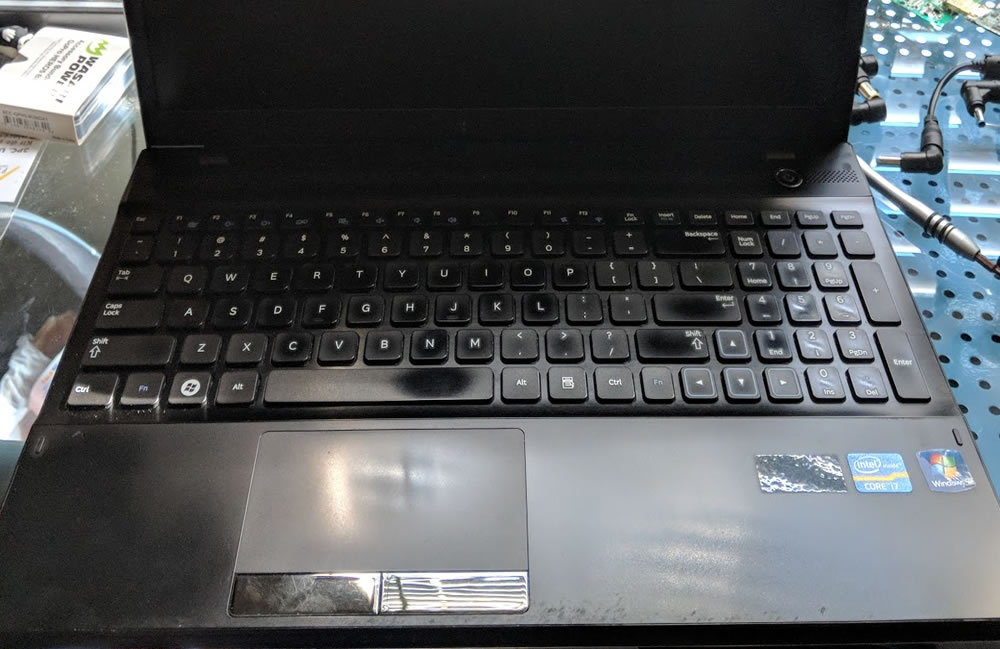
Our most important advice here is to choose an aluminum-chassis laptop. Aluminum-chassis laptops dissipate heat better compared to plastic chassis. That’s why they also last longer. Also, plastic chassis given a metal-like finish can develop paint peeling over time. Users have already noticed this, which is why quality laptop makers have shifted toward aluminum chassis in their mid-to-high-end products.

For keyboard quality, you can check user reviews. Or, best of all, go check it out in person. How’s the typing comfort? Does it have keyboard backlighting for working at night? Are the gaps between the keys frighteningly wide? We don’t want food crumbs from snacking at the computer getting stuck in there. Do the labels on the keyboard look like they’ll wear off over time? You can trust your instincts here. If you’ve been around this kind of thing a bit, you can sense the quality.
Number of External Ports
About 15 years ago, laptops had a lot of ports. USB ports, an Ethernet port, a MicroSD card reader, a VGA port, an HDMI port — the earliest laptops even had those many-pin ports for old-style printers. Over time we arrived at an era where these turned out to not be so necessary, especially after Wi-Fi and Bluetooth technology started being used in peripheral devices. For example, now there are wireless printers. Wi-Fi is everywhere in our lives. We can even share Wi-Fi from our phones. There are now Bluetooth speakers, headphones, and Bluetooth-powered mice.
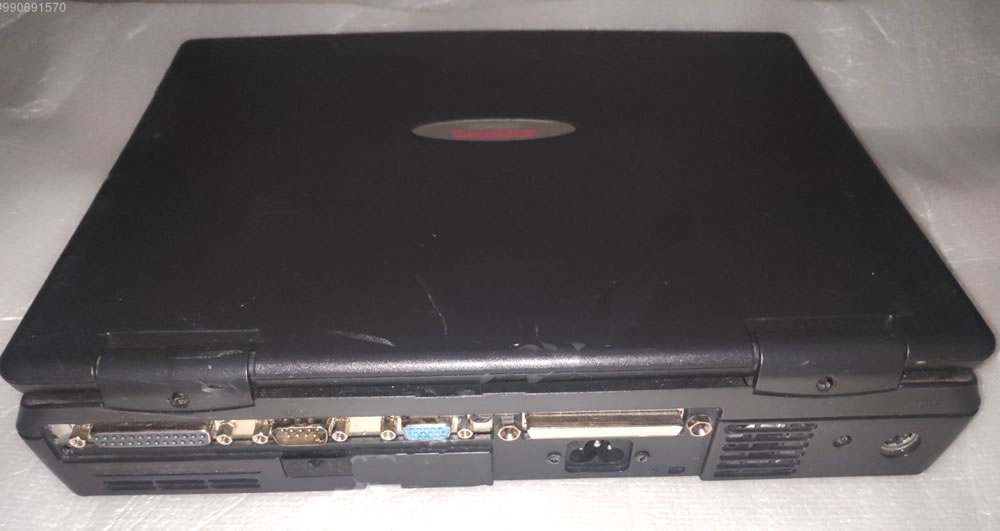
10 years ago, nobody would have wanted to buy a laptop without a CD drive. Once USB flash drive capacities increased, they became unnecessary. Computer manufacturers, unwilling to compromise on thinness and light weight, eventually dropped them from their designs.
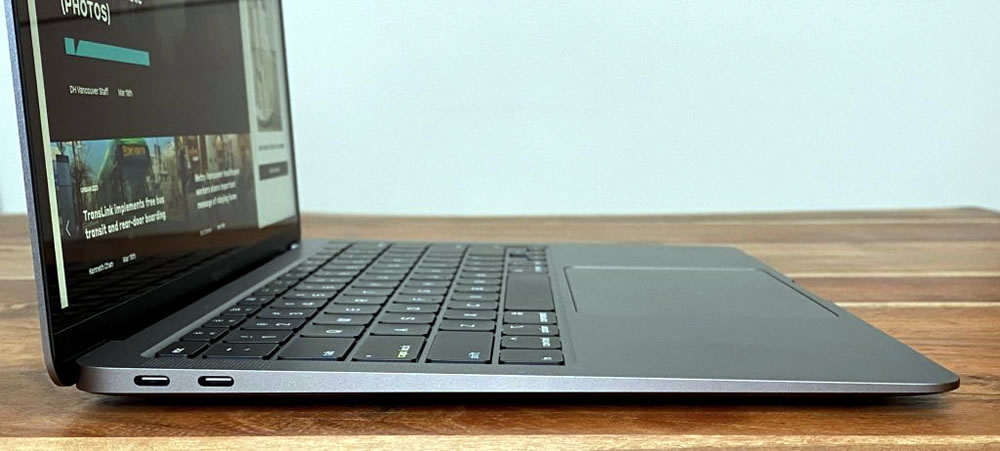
Apple’s MacBook has removed USB ports from its products since 2016, even at the cost of user backlash. Instead, it used, and continues to use, Type-C ports. Actually, this choice by Apple seems to stem from foreseeing the future of the technology. Indeed, hardware manufacturers are seen adding Type-C ports to their newer models.

For example, the Samsung monitor model above includes a Type-C port alongside USB and HDMI ports.
Of course, the choice is still yours. If you say “I can’t be bothered with adapters, a USB port is a must for me,” or “I’m a photographer, I want to transfer footage from my camera’s MicroSD card to my computer,” you should look at laptops with these types of ports to avoid trouble later.
Battery Performance
Battery performance is perhaps the most important of the criteria for what to watch for when buying a laptop. Until recently, laptop batteries lasted around 3 hours on average, despite having thick, brick-like batteries. Nowadays we see some laptops with batteries just 3-5 mm thick lasting 12-15 hours. This is largely thanks to power-hungry hardware with moving parts, like HDDs and DVD drives, becoming history and no longer being used.
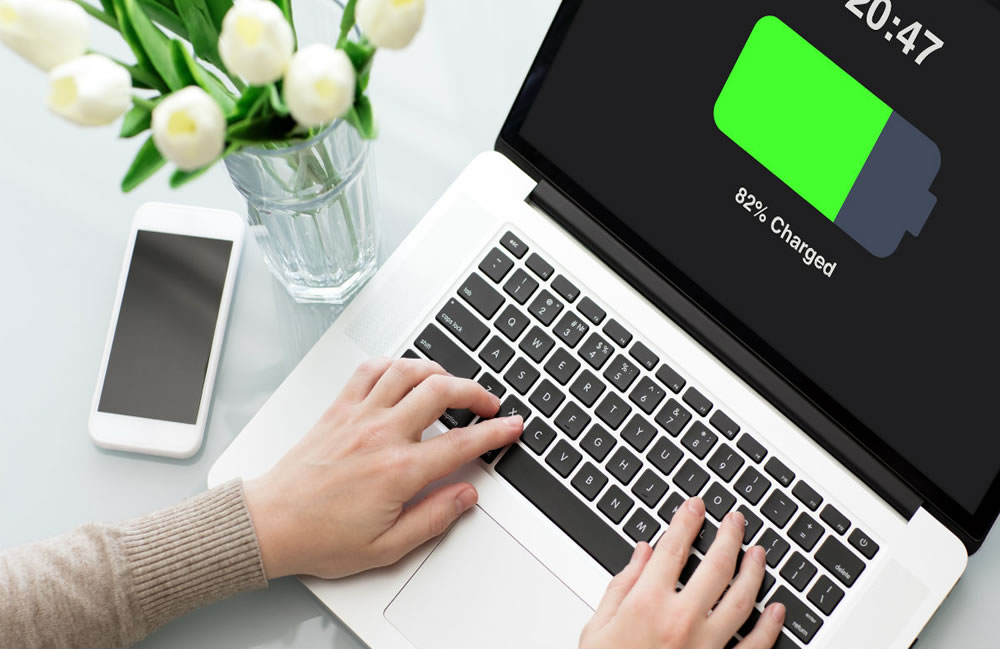
If you need to work away from a power outlet for long stretches during the day, you should look at laptops with long-lasting batteries.
Also, on some laptops the battery can be easily replaced, while on others it’s internal and not easily accessible. If you’re thinking of buying a spare battery and swapping it during the day as needed, you should look for a laptop with an easily replaceable battery. Now, what to watch for when buying a laptop — let’s move on to another criterion, stable operation.
Stable Operation
You’re working on an important project you need to deliver. You’ve been working on a graphic design for 3 hours without saving. Then suddenly the system freezes out of nowhere. You can neither keep working nor save. Sounds like a nightmare, right?
System stability is about the system itself — that is, whether the software, hardware, and drivers work together well. If you make an operating system designed only for a specific piece of hardware, if you don’t allow the system to be tampered with, and if you can keep the system free from viruses, your system runs stably. Is there a laptop maker that does this? Yes, there is. Apple.
Anyone wanting a stable system should first look at Apple MacBook products. Apple develops macOS only for its own laptops. It also pays maximum attention to this system’s stability. For example, software that Apple hasn’t approved can’t be installed on the system.

Since Apple gives its operating system to users for free, users don’t download cracked (pirated, tampered-with) operating systems from random places. Also, since the vast majority of viruses are designed to target Windows systems, MacBook users can feel more at ease about the risk of viruses.
Quiet Operation
If you work a few hours during the day, and you’re already in a noisy environment, the computer making noise while running may not bother you. You might not even notice it. But if you work at night in a quiet setting, the faint fan noise from the computer can bother you. If you intend to use a laptop that runs quietly, the best thing to do is to see the computer in action, or rather, listen closely to it.
While doing this, it’ll also help to run a task or two that strains the computer. Considering how hard it is to do this in a noisy environment like a mall, we can check product reviews on sites like YouTube, or user reviews on the sites the product is sold on.
Related topic, see: Why Does a Laptop Run Loud? Solution Suggestions
If you add your quiet-running computer recommendations in the comments section of this article, it’ll be helpful for our other users.
Fingerprint / Security
Some newer-generation brand laptops (for example, Apple MacBook, some Lenovo models, Acer Aspire 5 Extreme, Acer Spin 3, Dell Vostro, etc.) include a fingerprint sensor. Thanks to this feature, you can use your fingerprint for things like unlocking your computer, online shopping, logging into sites, or installing new programs. For example, if you use your laptop as a work computer, this feature will provide serious comfort and confidence to your computer use.
These laptops will also appeal to students. If you’re someone who leaves your computer with friends around while you go to the bathroom or to bed, having a fingerprint sensor will keep curious eyes away from your personal files and information.
Service and Technical Support Quality
Assuming you’ve bought a computer that’s new or still under warranty, when you need technical support related to the product (for example, if the computer’s battery runs down too quickly, or the battery doesn’t charge at all), authorized and knowledgeable technical support for the product may be able to offer a solution to your problem, perhaps even over the phone.
The thing you should pay the most attention to regarding technical support and service is being able to find someone to actually deal with — that is, the strength of the authorized service points and service network.
Also, in the event of any fault, while some companies tend to blame you for the fault, or hold onto your computer and make you wait days, maybe weeks, other companies, upon determining that a fault wasn’t caused by the user, will provide a new computer right away, to avoid damaging the company’s reputation.
To get an idea on this topic, you can check a site like sikayetvar.com (a Turkish consumer complaints site) to see which companies receive the fewest complaints about technical support.
Good Price
Some might say you’ve put the criterion that should come first, last. Yes, who wouldn’t want to buy an affordable computer? But the most sensible approach for anyone buying a computer is to first determine their needs, and set their budget accordingly by looking at how well each option meets those needs.

Thinking “let me get a good computer, let it be the best so it doesn’t disappoint me,” we might end up pouring unnecessary money into a computer with features that may never actually be useful to us.
That’s why, before buying a laptop;
- Clarify our needs.
- Check the price ranges, company, and product reviews of laptops that meet these needs.
- The best approach is to identify a price-to-performance product for ourselves and finalize our decision.
In this article, we tried to shed light on what to watch for when buying a laptop. “What kind of laptop should I get? What should you look at before buying a laptop? Which is the best laptop?” — in an environment where questions like these trouble most buyers, we’d be happy if we could be of some help.
If you own a laptop, sharing your price-to-performance laptop recommendations or your experiences with different brands and products in the comments will add a bit of extra flavor for the rest of us.
Related Questions
It’s hard to find high performance, long battery life, quiet operation, and a low price all together, because these features usually trade off against each other. That’s why you need to cut back on some features based on your priorities.
A choice made without determining what it’ll be used for can end up either needlessly expensive or failing to meet your needs. Once your needs are clear, it’s much easier to look for features suited to those needs within your budget.
Related Posts
 What to Look for When Buying a Flash Drive
  How Do We Delete Files That Won’t Delete on macOS
  SolidWorks and Autodesk Inventor Comparison
  What Is a Solid State Drive (SSD)? Advantages of SSD Drives
  The Best Free Open-Source CAD Software
  HDD Partitioning and Merging Program EaseUS PM DOWNLOAD
  Mac OS: Remove Video From Files to Shrink Their Size
  How Safe Is It to Download a DLL File?