

In this article, we’ll get an idea of the best 5 CAD software programs for furniture design, based on selected criteria. The software selection criteria include:
(a) Ability to perform design tasks, (b) Ease of use, (c) Difficulty and time required for the learning curve, and (d) Cost.
The Best-Known Furniture Design Software
Before choosing the top 5 CAD furniture design software programs, it’s a good idea to list some well-known furniture design CAD software and their capabilities.

CADopia® provides 2D functionality and reasonable customization. It costs about $500. It supports many CAD file formats.

SketchList3D® provides 2D/3D functionality, but has no customization. It costs about $500.
It doesn’t have a steep learning curve. It has limited support for CAD file formats.
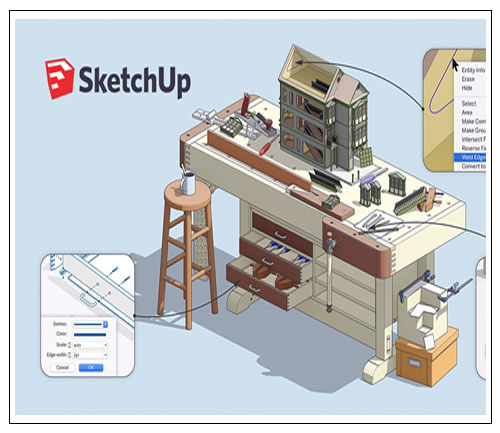
SketchUp® provides 2D/3D functionality and some customization. The professional version costs about $600. It doesn’t have a steep learning curve. It has reasonable support for CAD file formats

RhinoParametrics® provides 2D/3D modeling and customization. It costs about $1,000.
It has a reasonable learning curve. It has limited support for CAD file formats.
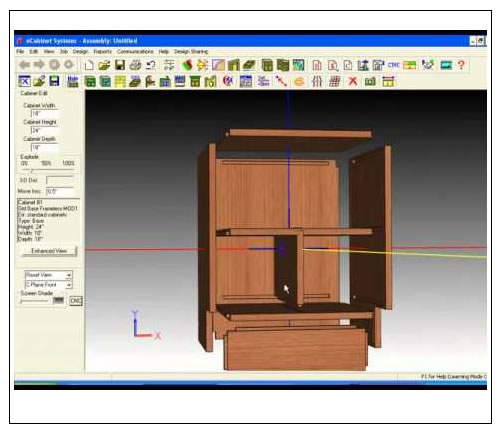
eCabinets System® is 2D/3D modeling software well suited to furniture design. It provides customization and rendering. It costs less than $200. It has a reasonable learning curve.

Sweet Home 3D® provides 2D/3D functionality but lacks customization. It has support for a few CAD file formats. It’s free under the GNU® public license. It appears to have a reasonable learning curve.

ArchiCAD® provides 2D/3D functionality. It provides 3D rendering and customization. It supports many CAD file formats. It costs over $4,000. It appears to have a reasonable learning curve.

Vector Works® provides 2D/3D functionality and customization. It supports many CAD file formats. It costs about $3,000. It appears to have a reasonable learning curve.

Chief Architect® provides 2D/3D functionality and limited customization. It has support for a few CAD file formats. It costs about $2,800. It appears to have a reasonable learning curve.

DeltaCAD® provides 2D functionality and some customization. It has limited support for CAD file formats. It costs about $40. It has an easy learning curve.
Criteria Used to Compare Furniture Design Software
User reviews and ratings are used to assign weight to the criteria used to compare software packages.
- Functionality is an important feature. If a piece of software doesn’t have the features needed for furniture design, it should be excluded from consideration. Since functionality is essential, it’s given a weight of 10 on a scale of 0-10.
- Closely related to functionality is rendering and customization. Feature-rich, customizable software gets a weight of 8, while software that is neither feature-rich nor customizable gets a weight of 1. When 2D software has 3D rendering capability, it should score 4 or 5 points.
- 3D capability is assigned a weight of 8, since it lets the designer visualize the object in isometric and oblique views. 2D capability without 3D rendering is assigned a weight of 4.
- Ease of use is an important feature. Software that’s easy to use scores 7, while software that’s difficult to use scores 2.
- Closely related to ease of use is the learning curve. An easy learning curve scores 7, and a steep learning curve scores 2.
- The ability to support CAD file formats is an important feature. Bitmap- or raster-based software should support the most popular formats, such as .png, .jpg, .tiff, .pgm, .pcx, and other bitmap formats. Vector-based software should support the most popular formats, such as .cdr (CorelDraw®), .ai (Adobe® Illustrator), .gem (GEM metafiles), OpenGEX, IGES, U3D, and other vector formats. Software supporting many formats scores 5, while software supporting a minimal set of formats scores 2.
The table below provides weighted comparisons for 10 software packages selected from the software list.
Parametric Furniture Design
Furniture CAD software offers parametric design, letting all parts update automatically when dimensions change.
Material Libraries
This software usually includes realistic visual libraries of materials such as wood, metal, and fabric.
Manufacturing Drawing Output
Professional furniture design programs can automatically generate the cut lists and technical drawings needed for manufacturing.
Comparing the Furniture Design Programs

The Best Furniture Design Programs
From this study, we conclude that the best 5 programs for furniture design are:
- eCabinets System®
- RhinoParametrics®
- Vector Works®
- ArchiCAD®
- SketchUp®
Honorable mentions go to SketchList3D®, Sweet Home 3D®, and DeltaCAD®.
Related Questions
Cheap software that’s difficult to learn or has limited file format support can waste time in day-to-day use. That’s why, alongside price, ease of use and learning time are also important criteria to evaluate.
A steep learning curve means you need a long time practicing before you can use the program efficiently. This can make that program less appealing to a beginner looking for quick results.
Related Posts
 macOS Big Sur Parallels Desktop Internet Issue
  How to Extend Laptop Battery Life?
  The Best Free CAD Software for 3D Print Design
  The 10 Best Ways to Speed Up Windows 10
  The Best Free Open-Source CAD Software
  What Is a Solid State Drive (SSD)? Advantages of SSD Drives
  Changing the Mac OS X Screenshot Save Location
  Advantages of Computer-Aided Design