
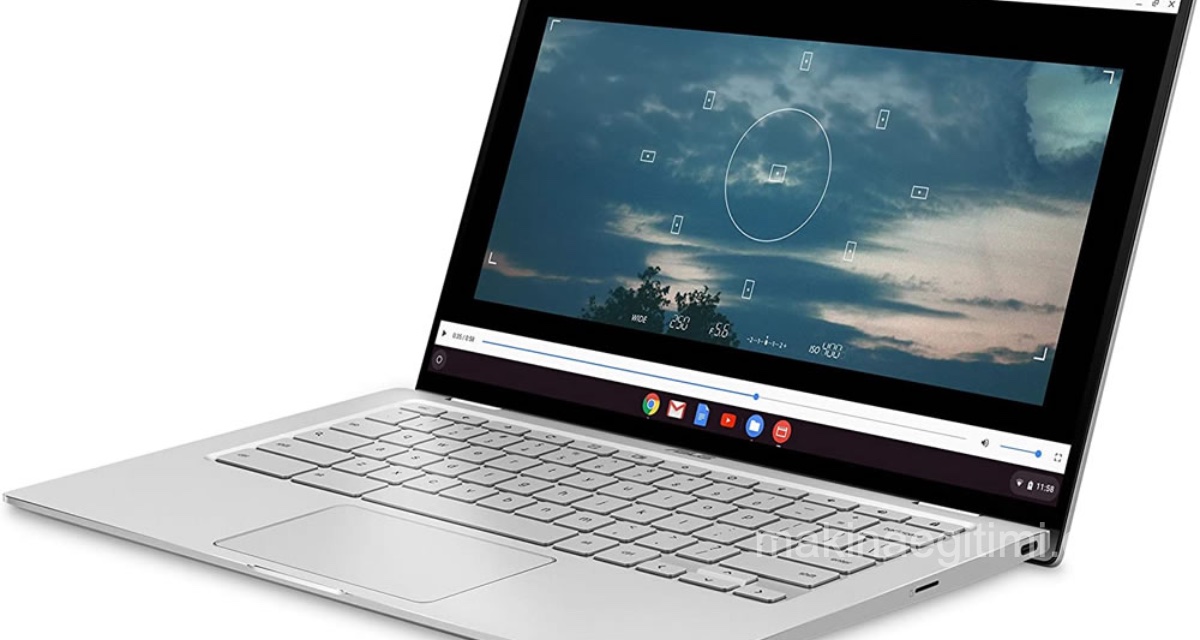
If you’re wondering which is the best laptop brand, or which is the best laptop, check out our article. First of all, due to the competition in this space, computer companies keep releasing new models one after another, so the rankings can shift from time to time. Also, the answer to “which is the best laptop” can change depending on the user’s needs.
In this article, we’ve ranked the most notable laptop brands and models that stood out in 2021. We’ve also tried to note their strengths and weaknesses so it’s easier for you to choose based on your needs.
The Best Laptops of 2022
1. Apple MacBook Air (M1, 2020)
The Best Laptop of 2021

Processor: Apple M1
Graphics: Integrated 7 / 8-core
RAM: 8GB – 16GB
Display: 13.3-inch (diagonal) IPS technology 2,560 x 1,600 LED-backlit display
Storage: 256GB – 2TB SSD
PROS: Silent operation. Powerful processor. Long battery life. Stability. Retina display.
CONS: Fanless design can affect performance under heavy workloads. No USB or HDMI ports.
The Apple MacBook Air (M1, 2020) isn’t just the best laptop Apple has ever made — it’s also the best laptop money can currently buy.
Thanks to the revolutionary ARM-based Apple M1 chip powering the new MacBook Air (Apple ditched Intel for these new laptops), the Apple MacBook doesn’t even struggle while editing 4K video.
Normally, powerful laptops have to make do with short battery life. But with this model, Apple promises a long battery life of 11 to 20 hours on a single charge. This will vary depending on what you’re doing. Some battery tests have shown results like up to 17 hours of wireless web browsing, or 13.5 hours of continuous 1080p video playback.
Unlike previous MacBook Air models, Apple opted for a Retina display on this one, delivering extremely bright and vivid images. Retina displays were previously only available on the Pro models.
Here’s another interesting detail — the Apple M1 laptop has no fan. So it’s a laptop that runs as silently as a tablet. There’s no need to mention how well-known Apple computers are for their stability.
2- Microsoft Surface Laptop 4
The Best Windows Laptop

PROCESSOR: 11th-gen Intel Core i5 – i7 / AMD Ryzen 5
GRAPHICS: Intel Iris Xe / AMD Radeon
RAM: 8GB – 32GB
DISPLAY: 13.5-inch PixelSense (2,256 x 1,504) touchscreen
STORAGE: 256GB – 1TB SSD
PROS: Quality touchscreen, comfortable keyboard
CONS: Not enough ports
While Apple blew us away with the new MacBook Air, its eternal rival Microsoft also impressed us with the new Surface Laptop 4, dropping straight into 2nd place. As with previous Surface devices, the build quality and design are absolutely first-class. Here, its gorgeous PixelSense touchscreen really sets it apart from its rivals (a touchscreen, as Microsoft loves to remind us, is something we still haven’t seen on an Apple laptop).
It also comes with a wonderful keyboard that’s a pleasure to type on, along with some great features that make Windows 10 and all your favorite apps run extremely smoothly. Battery life is also very impressive — lasting over 13 hours in some tests. Its price is also impressively competitive.
3- MacBook Pro 14-inch (2021)
The Best Laptop for Productivity
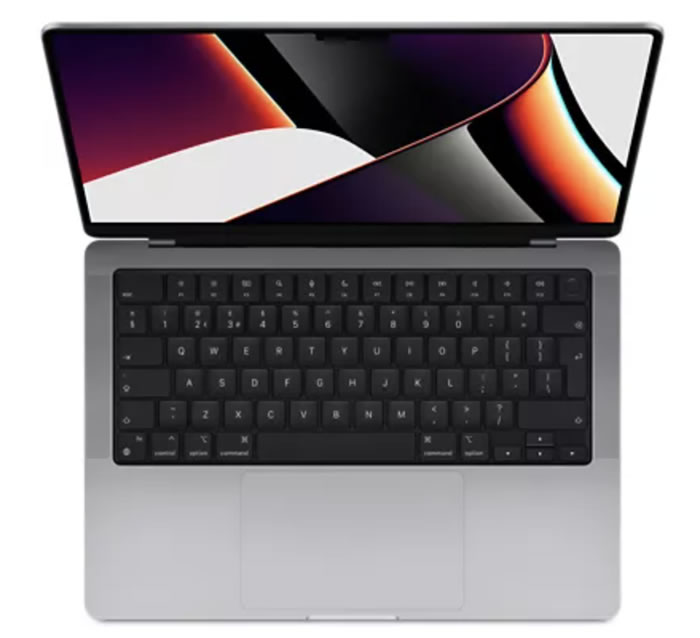
PROCESSOR: Apple M1 Pro 8-core – M1 Max 10-core
GRAPHICS: Integrated 14-core – 32-core GPU
RAM: Up to 64 GB
DISPLAY: 14-inch Liquid Retina XDR display
STORAGE: Up to 8 TB
PROS: Excellent performance. The best display on a laptop.
CONS: The 14-inch screen may be a bit small.
The powerful 14-inch MacBook Pro is the most capable laptop you can buy in 2022. Choose between the powerful new M1 Pro or M1 Max chips, which can easily handle even the heaviest workloads. That’s not all — its Liquid Retina XDR display with mini-LED technology is absolutely stunning, and is currently the best display you can get on a laptop.
Add a 1080p webcam and an expanded port selection, and you get a perfect work and productivity laptop. Its price and power will be overkill for most people’s needs. But if you want a great laptop for creative work, this is the one.
4- HP Spectre x360
Elegant and Touch-Enabled
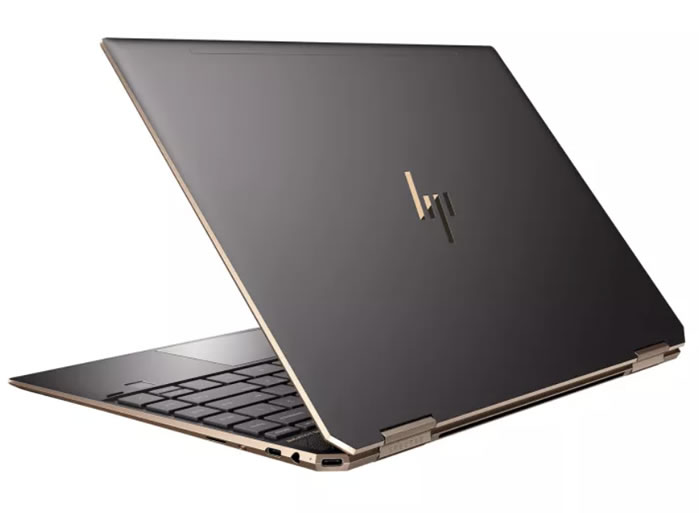
PROCESSOR: 11th-gen Intel Core i5 – i7
GRAPHICS: Intel Iris Xe Graphics
RAM: 8GB – 16GB
DISPLAY: 13.3″ FHD (1920 x 1080) IPS BrightView micro-edge WLED-backlit multitouch – 13.3″ diagonal 4K (3840 x 2160) UWVA BrightView micro-edge AMOLED multitouch
STORAGE: 256GB – 2TB SSD
PROS: Gorgeous design. Excellent battery life
CONS: Fans can be noisy. Expensive compared to some rivals
The HP Spectre x360 (2021), now coming with 11th-gen Intel Core processors that offer a solid performance boost and better integrated Intel Iris Xe graphics, is better than ever.
It still has the flawless 2-in-1 design and the signature gem-cut chassis these laptops are known for, which means the HP Spectre x360 (2021) is one of the best-looking 2-in-1 laptops ever made. It’s really only rivaled by the excellent MacBook Air (M1, 2020).
While it’s certainly expensive, you get some great extras like fantastic security features and Bang & Olufsen speakers. If aesthetics matter to you as much as performance and overall quality, this laptop is exactly for you.
5- Dell XPS 13 (Late 2020)
Dell Delivers Again
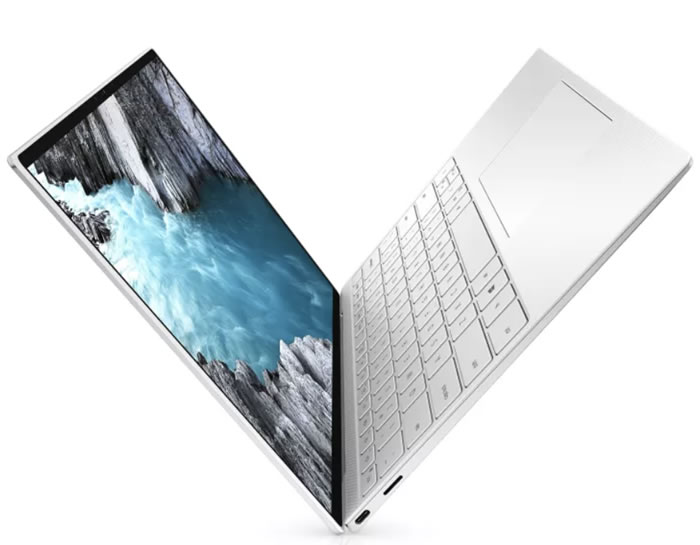
PROCESSOR: Up to 11th-gen Intel Core i7-1165G7
GRAPHICS: Up to Intel Iris Xe Graphics
RAM: Up to 32 GB 4267 MHz LPDDR4x
DISPLAY: 13.4″ FHD+ (1920 x 1200) InfinityEdge Touch Anti-Glare 500-Nit – 13.4″ UHD+ (3840 x 2400) InfinityEdge Touch Anti-Reflective 500-Nit display
STORAGE: Up to 2 TB M.2 PCIe NVMe
PROS: Striking design. Long battery life
CONS: The webcam should be 1080p.
Dell consistently lands on best-laptop lists, and it just keeps getting better. Dell has released an optional OLED display for the XPS 13. This gives it excellent contrast and more vivid colors. Movies, photos, and games look outstanding on the OLED display. Unfortunately, the webcam is still 720p, the same resolution found on almost every other laptop.
As expected, the Dell XPS 13 comes with excellent performance, a striking display, and long battery life. Once again, Dell has produced a thin and light laptop that’s incredibly successful, a pleasure to use, and worth the investment if it’s within your budget.
6- Razer Blade 14
The Best Gaming Laptop of 2022

PROCESSOR: AMD Ryzen 9 5900HX
GRAPHICS: NVIDIA GeForce RTX 3060 – RTX 3080
RAM: 16GB
DISPLAY: 14-inch 144 Hz Full HD – 14-inch 165 Hz QHD
STORAGE: 1TB SSD
PROS: Beautiful chassis. Thin and light.
CONS: Great performance but expensive
This luxurious, thin, and light gaming laptop from Razer is an ideal laptop for anyone who wants a gaming machine they can carry with them. It’s solidly built, so you don’t have to worry about it getting damaged during your travels, and it’s one of the best-looking modern gaming laptops we’ve seen.
That said, it’s not all about looks, since the Razer Blade 14 comes with cutting-edge components, including a great AMD Ryzen 9 5900HX processor and a graphics card up to an RTX 3080.
This means you can play any AAA game you want in all its glory. It’s by far the best gaming laptop you can buy in 2022, but it costs a lot.
7- LG Gram 17 (2021)
A Great, Super Lightweight Laptop
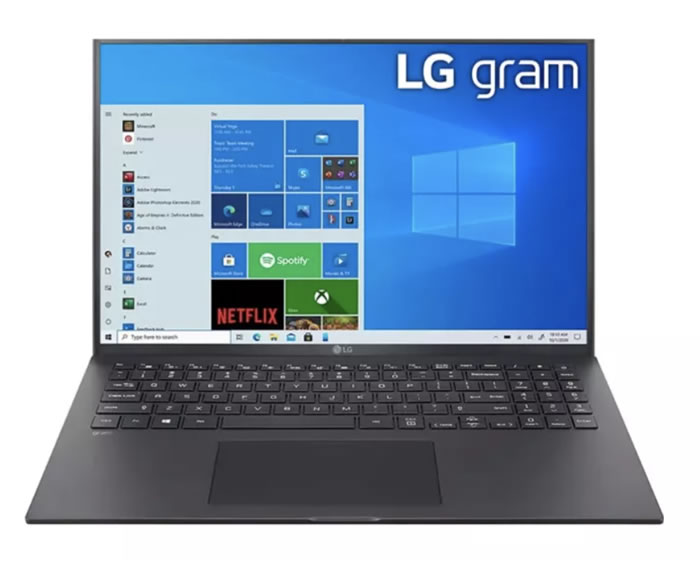
PROCESSOR: 11th-gen Intel Core i7
GRAPHICS: Intel Iris Xe Graphics
RAM: 16GB LPDDR4X
DISPLAY: 17-inch WQXGA (2560 x 1600) IPS LCD
STORAGE: Up to 2 TB NVMe SSD
PROS: Excellent battery life. Large, high-quality display
CONS: Prone to screen glare.
The new LG Gram 17 once again has an incredibly lightweight design and comes with some of the best mobile technology in the world.
This includes Intel’s new 11th-gen processors and Iris Xe graphics, as well as two Thunderbolt 4 USB-C ports, up to 16 GB of RAM, and fast SSDs — meaning this is an excellent laptop for everyday tasks. Battery life is also outstanding, easily lasting around 12 hours on a single charge.
That makes it a great choice to carry around for school and work. However, its design is a bit plain, and it carries a high price tag. It’s worth it if you need the power and portability of an ultrabook while also wanting a larger screen.
8- Acer Swift 3
The World’s Best Budget Laptop

PROCESSOR: Up to Intel Core i7-8565U
GRAPHICS: Nvidia GeForce MX150, Intel HD Graphics 620, or AMD Radeon Vega 8
RAM: 4GB – 8GB
DISPLAY: 14-inch FHD (1,920 x 1,080) ComfyView IPS – 15.6″ Full HD (1920 x 1080)
STORAGE: 128GB – 1 TB HDD, 16 GB Intel Optane Memory
PROS: Excellent keyboard and touchpad. Excellent performance
CONS: Looks a bit plain.
Beyond the Acer Swift 3’s modest looks, you’ll find an excellent laptop with plenty of power for work and studying. The Swift 3 (not to be confused with Acer’s other laptop, the Switch 3) is a budget laptop; however, its plain chassis is entirely aluminum and packed with quality components.
Performance-wise, it surprisingly gets close to the much more expensive Microsoft Surface Laptop. Its display is a bit lower resolution, but other than the price, the two are strikingly similar.
Besides its roomy touchpad, this laptop is also comfortable to use thanks to its backlit keyboard that offers a comfortable typing experience. If your work is mostly about writing, this is one of the most affordable laptops of 2022. If you’re looking for a cheap, quality laptop, you should check it out.
9- Asus Zenbook 13 (2021)
A Striking Ultrabook from Asus
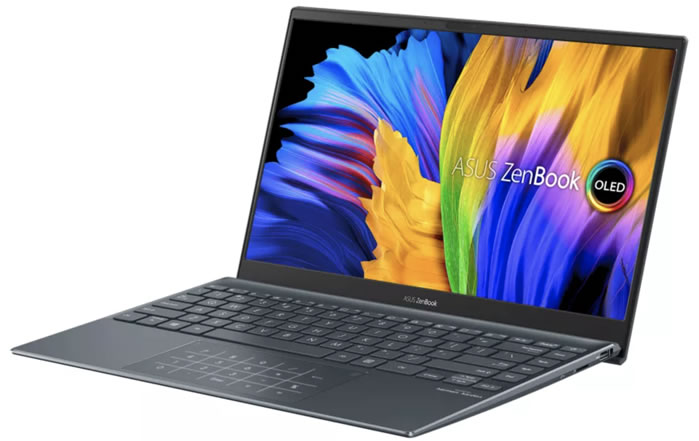
PROCESSOR: 11th-gen Intel Core i3 – i7 / AMD Ryzen 5000
GRAPHICS: Intel UHD Graphics / AMD Radeon
RAM: 8GB – 32GB
DISPLAY: 13.3-inch, OLED 1080p, 400 nits
STORAGE: 256GB – 1TB SSD
PROS: Stunning OLED display. Outstanding battery life.
CONS: No headphone jack. Radeon graphics show low performance.
The Asus ZenBook 13 is an excellent laptop, and the 2021 model comes with some of the best mobile technology you can find in a modern laptop. It offers a choice between an AMD Ryzen 5000-series processor or Intel 11th-gen CPU options. It also has a genuinely striking 13.3-inch OLED display and one of the best battery lives in its class.
It also has up to 32 GB of RAM and up to 1 TB of SSD storage, which makes it an excellent laptop to work on.
It’s also extremely thin and light with a stylish design, which makes it a joy to carry and use. It’s also quite affordable compared to rivals like the Dell XPS 13. Its only downside is that it lacks a headphone jack. We found that on the ZenBook 13, the integrated AMD Ryzen graphics aren’t quite as good as what Intel offers. Even so, this is still an excellent ultra-thin laptop worth considering.
10- Asus TUF Dash F15
The Best Value Gaming Laptop

PROCESSOR: Up to Intel Core i7-11375H
GRAPHICS: Up to NVIDIA GeForce RTX 3070
RAM: Up to 16 GB DDR4-3200
DISPLAY: Up to 15.6-inch WQHD anti-glare 165 Hz IPS-level display with Adaptive Sync
STORAGE: Up to 1 TB SSD
PROS: Long battery life. Strong gaming performance
CONS: No webcam. Keyboard backlight color can’t be changed
The Asus TUF Dash F15 is ideal if you’re looking for an affordable laptop that can run the newest games.
Asus’s TUF laptop lineup is praised for its excellent value for money, and the new Asus TUF Dash F15 keeps that fine tradition going. With excellent build quality, great battery life for a gaming laptop, and an impressively thin and light design, this is a gaming laptop with excellent value.
It also comes with Intel Tiger Lake processors, Nvidia GeForce RTX 3000-series mobile GPUs, and up to a 240 Hz 1080p display. In short, we can call it the best gaming laptop for the price-to-performance ratio.
11- Lenovo ThinkPad X1 Yoga Gen 6
The Best 2-in-1 Laptop of 2022
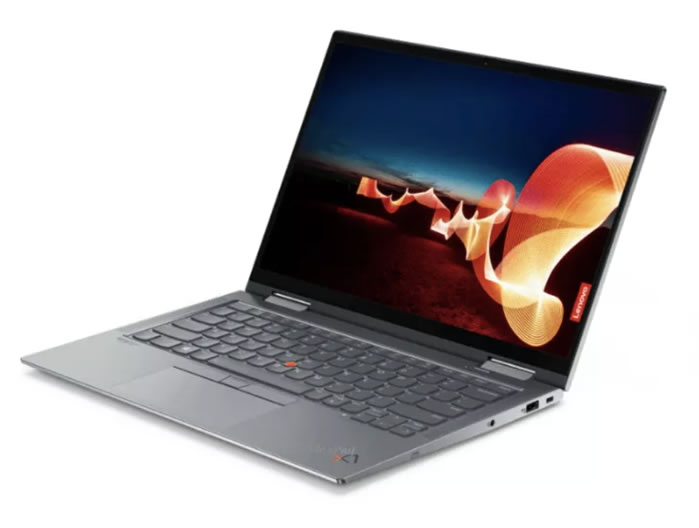
PROCESSOR: 11th-gen Intel Core i5 – i7
GRAPHICS: Intel Iris Xe Graphics
RAM: 8GB – 32GB
DISPLAY: 14-inch, 1920 x 1200p, IPS touchscreen
STORAGE: Up to 2 TB SSD
PROS: Exceptional performance. Excellent battery life. Can be used as a tablet thanks to the touchscreen.
CONS: Expensive compared to other 2-in-1 laptops.
The Lenovo ThinkPad X1 Yoga Gen 6 is the latest refresh of Lenovo’s flagship 2-in-1 business laptop, and the addition of 11th-gen Tiger Lake processors with Iris Xe graphics along with Intel Evo certification make it one of the best 2-in-1s out there.
Add its outstanding 16:10 touchscreen, its integrated stylus, and excellent battery life, and there’s very little to fault here. It has a great port selection that puts the MacBook Air to shame. It’ll be a great choice especially if you’re looking for something that can be used both as a traditional laptop and as a tablet-like device.
12- HP Envy x360 13 (2020)
The Best Value 2-in-1 Laptop
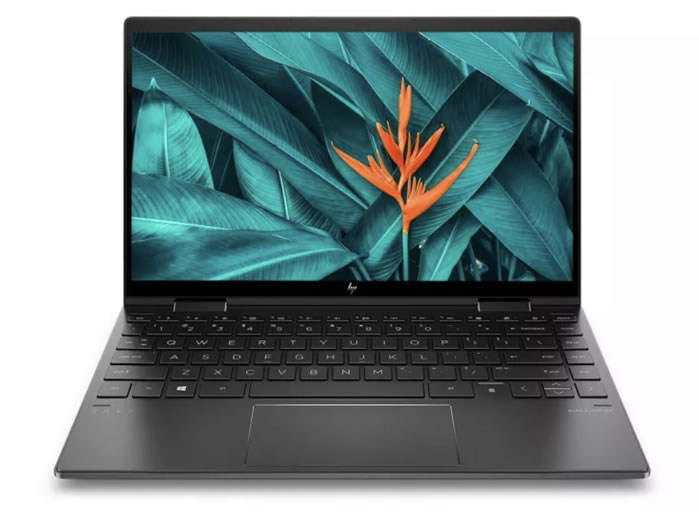
PROCESSOR: AMD Ryzen 5 4500U
GRAPHICS: Integrated Radeon Graphics
RAM: 8GB
DISPLAY: 13.3″ diagonal FHD IPS (1,920 x 1,080)
STORAGE: 256 GB – 1 TB SSD
PROS: Excellent battery life. Fast charging.
CONS: No 4K display option.
The excellent HP Envy x360 13 (2020) proves that you can get a 2-in-1 laptop that feels and looks premium without having to pay an extreme amount for it. As with all of HP’s modern laptops, the HP Envy x360 13 (2020) has a beautiful design, a striking display, and one of the best speaker setups used on a laptop.
If you’re looking for an affordable laptop that can also be used like a tablet, the HP Envy x360 13 (2020) is an excellent choice, packing modern components from AMD and an excellent battery.
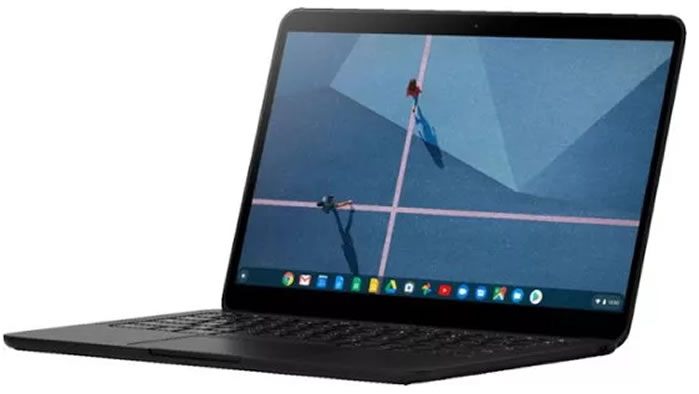
13- Google Pixelbook Go
The Best Chromebook
PROCESSOR: Intel Core m3 – Intel Core i7
GRAPHICS: Intel UHD Graphics 615
RAM: 8GB – 16GB
DISPLAY: 13.3-inch Full HD (1,920 x 1,080) or 4K LCD touchscreen
STORAGE: 128GB – 256GB eMMC
PROS: Incredible battery life. Incredible “Hush” keyboard
CONS: No biometric login.
Google’s Pixelbook Go is currently the best Chromebook money can buy. Its predecessor, the Pixelbook, was an excellent Chromebook in its own right, but it cost a small fortune.
The Pixelbook Go, on the other hand, is a much more affordable Chromebook that keeps most of its predecessor’s excellent qualities while bringing some standout upgrades, including remarkable battery life and a wonderful keyboard.
It has an operating system (Chrome OS) that keeps its performance on par with most far more expensive Windows laptops and MacBooks. If you’re looking for the ultimate Chromebook, the Pixelbook Go is exactly for you.
14- Lenovo Ideapad Duet Chromebook
The Best Value Chromebook

PROCESSOR: MediaTek Helio P60T Processor
GRAPHICS: ARM G72 MP3 800GHz
RAM: 4 GB LPDDR4X
DISPLAY: 10.1″ FHD (1920 x 1200) IPS, glossy touchscreen, 400 nits
STORAGE: 64 GB eMMC
PROS: Lightweight and portable. Long battery life
CONS: Small keyboard and finicky touchpad. Charger and headphones share a single port
The Lenovo IdeaPad Duet Chromebook can be used as either a laptop or a tablet, and is backed by some very impressive features.
Its battery also has an incredibly long life of nearly 22 hours. Naturally, some sacrifices had to be made for this price — the keyboard is small, the touchpad isn’t all that reliable, and the charger and headphones share the same port. But if your top priority is budget, these aren’t dealbreakers.
15- Asus VivoBook S15
The Cheapest 15-inch Laptop

PROCESSOR: Intel Core i5 – i7
GRAPHICS: Intel UHD Graphics
RAM: 8GB DDR4
DISPLAY: 15.6-inch full HD (1920 x 1080)
STORAGE: 512GB SSD
PROS: Bright, colorful 15.6-inch display. Weighs only 1.8kg
CONS: Average battery life. The ScreenPad is a bit odd.
The Asus VivoBook S15 combines a thin and light design with excellent performance and a great price.
If you’re looking for a mid-range laptop that isn’t too expensive but still delivers excellent performance, this is a great choice.
Thanks to its powerful Intel processor, 8 GB of RAM, and fast SSD storage, this is a laptop that can handle almost any task with ease, even if gaming isn’t in the picture. Its 15.6-inch display is bright and vivid, and it has plenty of ports that make it easy to connect all your favorite peripherals.
However, it doesn’t have the longest battery life for a laptop, and it takes some getting used to the ScreenPad, which replaces the traditional touchpad below the keyboard with a touchscreen.
Importance of Processor Generation
When choosing a laptop, having the current generation of processor is decisive for both performance and power efficiency.
SSD Storage Advantage
Laptops with an SSD offer much faster boot times and file access speeds than those with a traditional HDD.
Battery Life Comparison
Today’s high-end laptops can offer an average of 8-12 hours of use on a single charge.
The Best Laptop Brands
The best laptop brands include Apple, Dell, Lenovo, and HP, and each has its own strengths. For example, Apple makes beautifully designed thin and light laptops, while Dell produces a wide range of high-end ultrabooks as well as affordable devices and Chromebooks. Lenovo is known for making sturdily built business laptops (along with some excellent 2-in-1s), and HP has also been making some outstanding laptops lately, some of the best laptops in the world.
When it comes to gaming, the best laptop brands are Alienware, Asus, and Acer.
Related Questions
A user’s needs vary based on different priorities, like gaming, office work, or portability. A model might be perfect for some users while falling short for someone with different needs.
Without a fan, the heat generated by the processor can’t be carried away fast enough. During intense, prolonged tasks, the device may automatically throttle its own performance to prevent overheating.
Related Posts
 What to Watch for When Buying a Laptop?
  What Is Google One. Its Plans and Pricing
  How to Extend Laptop Battery Life?
  Best 5 CAD Software Programs for Furniture Design
  Fast File Search Program for Windows Computers, Avafind DOWNLOAD
  How Do We Delete Files That Won’t Delete on macOS
  What Is Computer RAM Memory? Types of RAM
  SolidWorks and Autodesk Inventor Comparison