Close Menu
  • MAKİNELER ve İMALAT
    • Tools & Equipment
    • Computer-Aided Drawing
    • CAD/CAM Education
    • CNC Machine Programming
    • Casting Technologies
    • Electrical & Electronics Technologies
    • Hydraulics & Pneumatics
    • Manufacturing Processes
    • Manufacturing Technologies
    • Occupational Safety
    • Mold & Die Design
    • Solid Modeling
    • Welding Technology
    • Machine Elements
    • Mechanical Trade Drawing
    • Materials Science
    • Automotive & Vehicle Technologies
    • Robotics Technologies
    • Health Technologies
    • Defense & Aerospace Technologies
    • Descriptive Geometry
    • Technical Drawing
    • Software & Hardware Technologies
    • Innovative Manufacturing Methods
  • TEKNOLOJİ ve YAŞAM
    • OTOMOBİLLER ve TAŞIT
      • Vehicle & Engine Knowledge
      • Safe Driving
      • Sürüş Destek Sistemleri
    • Genel Kültür
      • Movies & TV Shows
      • Görsel ve Grafik Sanat
      • Books & Literature
      • Music
      • Sports
      • History
      • History of Technology
    • GÜNDELİK YAŞAM TEKNOLOJİLERİ
    • Hobbies & Entertainment
    • Internet Technologies
    • Health
    • Mobile Technologies
Makine Eğitimi
  • Machines & Manufacturing
    Machine Elements
    Hydraulics & Pneumatics
    Technical Drawing
    Computer-Aided Design & Manufacturing
    Basic Manufacturing Processes
    Manufacturing Processes
    Industry Technologies
    Other Technical Courses
    Motion & Power Transmission
    Simple Machines
    Chains & Sprockets
    Shafts & Journals
    Gears
    Cams
    Couplings
    Belts & Pulleys
    Springs
    Bearings
    Keys
    Fastening Joining
    Retaining Rings
    Screws, Bolts & Nuts
    Cotter Pins
    Flanges
    Welding
    Rivets
    Pins & Bolts
    Washers
    Calculators
    Gear Ratio Calculator
    Spring Constant Calculator
    Belt Pulley Ratio Calculator
    Other Machine Elements
    Slides & Linear Guides
    Brakes
    Flywheels
    Clamps
    Shock Absorbers
    Gaskets & O-Rings
    Seals & Sealing Elements
    Hydraulics
    Introduction to Hydraulics & Principles
    Hydraulic Systems & Applications
    Accumulators
    Filters
    Motors
    Pumps
    Valves
    Pneumatics
    Introduction to Pneumatics & Principles
    Pneumatic Systems & Applications
    Pneumatic Circuit Components
    Valves
    Cylinders
    Silencers
    Motors
    Compressors
    Dryers
    Conditioning Units
    Common Topics & Maintenance
    Hydraulic & Pneumatic Maintenance
    Study Notes, Exams & Tests
    Technical Drawing
    Introduction to Technical Drawing
    Geometric Drawings
    Perspective & Projection
    Orthographic Views
    Dimensioning
    Sectioning
    Assembly & Detail Drawings
    Tolerances
    Surface Finish Symbols
    Mechanical Engineering Drawing
    Screws, Bolts & Nuts
    Pulley Drawings
    Gear Drawings
    Shafts & Journals
    Bearing Drawings
    Pins & Bolts
    Spring Drawings
    Welds in Technical Drawing
    Washers
    Cotter Pins
    Technical Drawing Exercises
    Mechanical Drawing Exercises
    Gear Exercises
    View Extraction Exercises
    Pulley Exercises
    Pin & Bolt Exercises
    Threaded Fastening Exercises
    Descriptive Geometry
    Computer-Aided Drawing
    AutoCAD Drawing Lessons
    Computer-Aided Drawing Exams
    Solid Modeling & Animation
    Solid Model Drawing Files
    Solid Model Assembly Examples
    Solid Model Drawing Lessons
    3D CAD Software Reviews
    Solid Modeling Exercises
    CNC Programming
    CAM
    Measurement & Inspection
    Dial Indicators
    Calipers
    Gauges
    Micrometers
    Materials Science
    Steels
    Cast Iron
    Aluminum
    Plastics
    Material Testing & Hardness Measurement
    Occupational Safety
    Workshop Safety
    Safety When Working With Electricity
    Machine Safety Rules
    Hand Operations
    Filing
    Marking
    Cutting Operations
    Reaming
    Tapping
    Threading With a Die
    Drill Bit Sharpening
    Working With Machines
    Basic Turning Operations
    Basic Milling Operations
    Shaper Machine
    Machining
    Turning
    Milling
    Grinding
    Innovative Manufacturing Methods
    EDM (Electrical Discharge Machining)
    Laser Machining
    Waterjet Machining
    3D Printing
    3D Scanners
    Welding
    Rolling
    Casting
    Mold & Die Design
    Mechanical & Hydraulic Presses
    Blanking & Piercing Dies
    Bending Dies
    Drawing Dies
    Plastic Injection Molds
    Extrusion Dies
    Compound Dies
    Progressive Dies
    Blow Molds
    Spinning Dies
    Spray Molds
    Manufacturing of Machine Parts
    Automotive & Vehicle Technologies
    Motor Vehicle Manufacturing
    Raw Material Production
    History of Technology
    Health & Medical Technologies
    Defense & Aerospace
    Robotics Technologies
    Software & Hardware Technologies
    Mechanics - Strength of Materials
    Physics Topics
  • Technology & Life
    Hobbies & Entertainment
    Sports
    Music
    Vehicle & Engine Knowledge
    Vehicle Maintenance & Repair
    Safe Driving
    Driver Assistance Systems
    History
    Movies & TV Shows
    Books & Literature
    Computers & Internet
    Computer Tips
    Software Reviews
    Hardware & Peripherals
    Practical & Safe Internet Use
    Visual & Graphic Art
    Mobile Technologies
    Travel
    Science
    Health
    First Aid Knowledge
    Everyday Technologies
Makine Eğitimi
Home»CAD/CAM Education»Advantages of Computer Aided Manufacturing (CAM)
30 August 2026

Advantages of Computer Aided Manufacturing (CAM)

cam computer aided manufactury

CAM (Computer Aided Manufacturing) means computer-aided manufacturing. In a broader sense, it refers to the use of computers in inventory control, project management, material requirements planning, data collection, testing, and quality control — all activities in a manufacturing environment.

cam computer aided manufactury

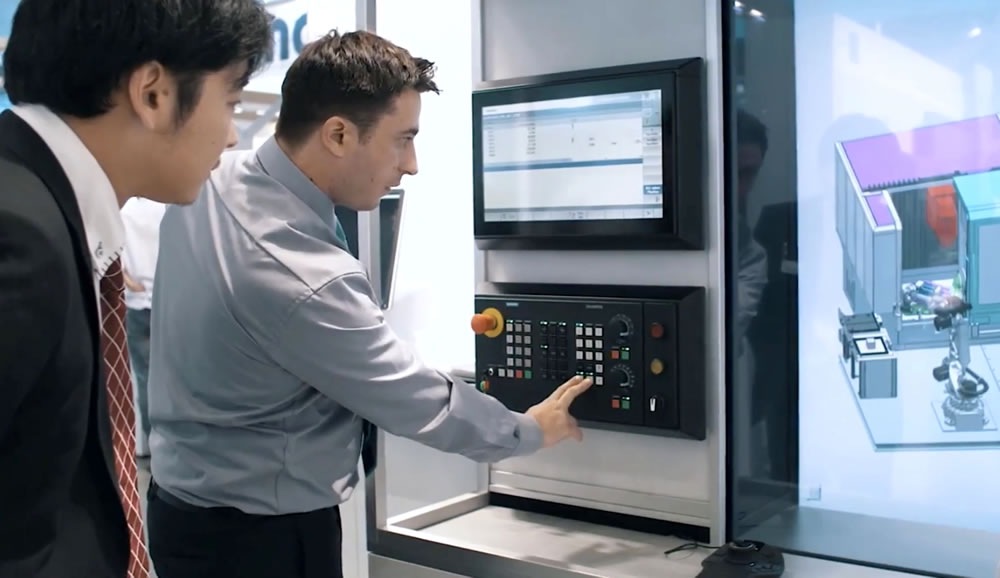
The integration of CAD and CAM systems is referred to as Computer Integrated Manufacturing. The computer’s role in manufacturing can be grouped into two main categories: monitoring and control of the manufacturing process by computer, and manufacturing support applications that mainly deal with preparation for the manufacturing act and post-manufacturing processes. Computers are used to control machine tools and other material-handling equipment.
advantages of using CAM

Advantages of Using CAM

  1. Efficiency: CAM can machine parts faster and more accurately, reducing production time and increasing efficiency. Given that the entire production activity is organized entirely via computer, it becomes possible to increase the facility’s efficiency. Lead times in manufacturing will be greatly reduced.
  2. Precision: CAM can control the measurements and tolerances of workpieces more accurately and precisely.
  3. Cost savings: CAM reduces the production costs of workpieces and reduces the cost of errors.
    Since most components of a CAM system will include integrated diagnostics and monitoring capabilities, it will require less maintenance compared to traditional manufacturing methods.
  4. Learning and analytics: CAM can be used to improve and optimize production processes by collecting analytical data on manufacturing operations.
  5. Flexibility: CAM can be used in the production of a wide range of workpieces and can be programmed for a variety of manufacturing operations. CAM increases flexibility in production methods and in changing product lines. In an integrated CAM environment, any change needed in the design can be incorporated at any design stage without any concern about delay.

Since all information and control functions are handled with the help of a computer, better management control over the production activity is possible. All of the advantages above, when properly translated, mean lower total cost and thus higher final profit. For this reason, any production activity in a manufacturing unit (job-shop production or mass-scale production) can benefit from Computer Aided Manufacturing.

Toolpath Automation


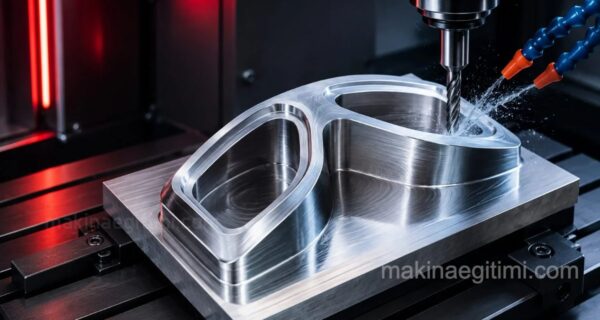
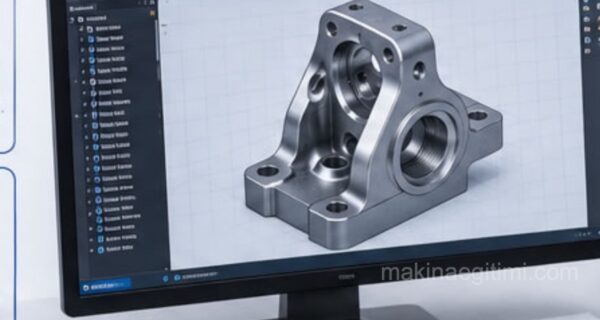
CAM software automatically generates G-code toolpaths from the CAD model, greatly reducing manual programming time.

Simulation and Collision Checking


CAM software can catch collision and error risks in advance through virtual simulation before actual machining.

Material Savings


Thanks to optimized toolpaths, using CAM can reduce both machining time and material waste.

Related Questions

Since operations are programmed in advance and transferred to the computer, the small errors that can occur in an operator’s manual work are eliminated. The machine repeats the same program with identical precision every time.

The data of a part designed in CAD can be transferred directly to CAM, so the machine can automatically calculate how to machine that design. This reduces the need for manual reprogramming in the transition from design to production.

Related Posts
autocad flywheel IGES What Is the IGES File Format, What Is It Used For? STEP Dosya Formatı Nedir, Ne İçin Kullanılır? What Is the STEP File Format, and What Is It Used For? Catia ile Cam İşleme Örneği Şurup Kaşığı Dişi kalıp CAM Machining Example in CATIA – Syrup Spoon Female Die download imachining solidcam What Is iMachining, Advanced CAD/CAM CNC Machining Technology What are CAD and CAM What Are CAD and CAM? What Are the Differences?
Share. Facebook Twitter WhatsApp Tumblr Email Telegram Copy Link

Leave A Reply Cancel Reply


What Is a Carburetor? What Does It Do? How Does It Work?
If You Just Bought a New Vehicle, Read This. What Is the Break-In Period?
  • Contact
  • Terms of Service
  • Privacy & Cookie Policy

Type above and press Enter to search. Press Esc to cancel.