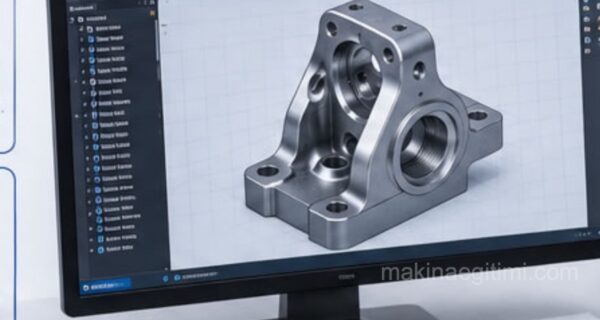
What Is the STEP File Format?
The STEP (STandard for the Exchange of Product model data) file format is used as a standard for exchanging product model data. This format is designed to facilitate the sharing and exchange of product models for design and manufacturing applications such as CAD (Computer-Aided Design) and CAM (Computer-Aided Manufacturing).
The STEP file format can contain the geometric or design information of product models. This information can include scale, position, color, material information, and features. This format allows product models to be easily shared and exchanged between different CAD applications.
The STEP file format is used across many industrial sectors, for example, automotive, machinery, electrical-electronics, mining, construction, energy, and the aerospace industry. It also meets the standards of many countries and is defined as the ISO 10303 series.
ISO Standard
The STEP format is a vendor-independent 3D CAD data exchange format defined under the ISO 10303 standard.
Geometry Preservation
STEP files preserve solid model geometry, and often material/color information as well, making transfer between different software easier.
File Extensions
STEP files can be saved with either the .step or .stp extension; both represent the same format.
Are STP and STEP the Same Thing?
STP and STEP file formats are not the same thing. STP can be referred to as the “STEP File Format” and is considered a variant of the STEP file format.
STP is a CAD file format used by SolidWorks and is used to store the geometric data of three-dimensional objects. STP files can be used at every stage of a product model’s lifecycle, from the design stage through to manufacturing.
STEP, on the other hand, is called the Standard for the Exchange of Product model data and is used as a standard for exchanging product model data. This format allows product models to be easily shared and exchanged between different CAD applications. This format is defined as the ISO 10303 series.
In summary, the STP file format is used by SolidWorks and is used to store the geometric data of product models, while the STEP file format is used as a standard for the exchange of product model data and allows product models to be easily shared and exchanged between different CAD applications.
Which Programs Can Open STEP Files?
STEP (Standard for the Exchange of Product model data) files are a file type used in 3D modeling and design. These files can contain the 3D CAD (Computer-Aided Design) data used during the design and manufacturing stages of products. STEP files are typically created and can be opened by popular 3D CAD software such as CATIA, SolidWorks, NX, Pro/Engineer, AutoCAD, and Inventor.
These programs can import STEP files and display their content. Free and open-source software is also available, such as FreeCAD and BRL-CAD, which can be used to open STEP files.
Related Questions
Each CAD program uses its own proprietary file format, and these formats usually cannot be opened in other programs. Since STEP is a vendor-independent, common standard, it allows different programs to read and write this format.
The STEP format can preserve not only the geometric shape but often the material and color information as well. This means that when the part is transferred to another program, this information is largely preserved too.
Related Posts