
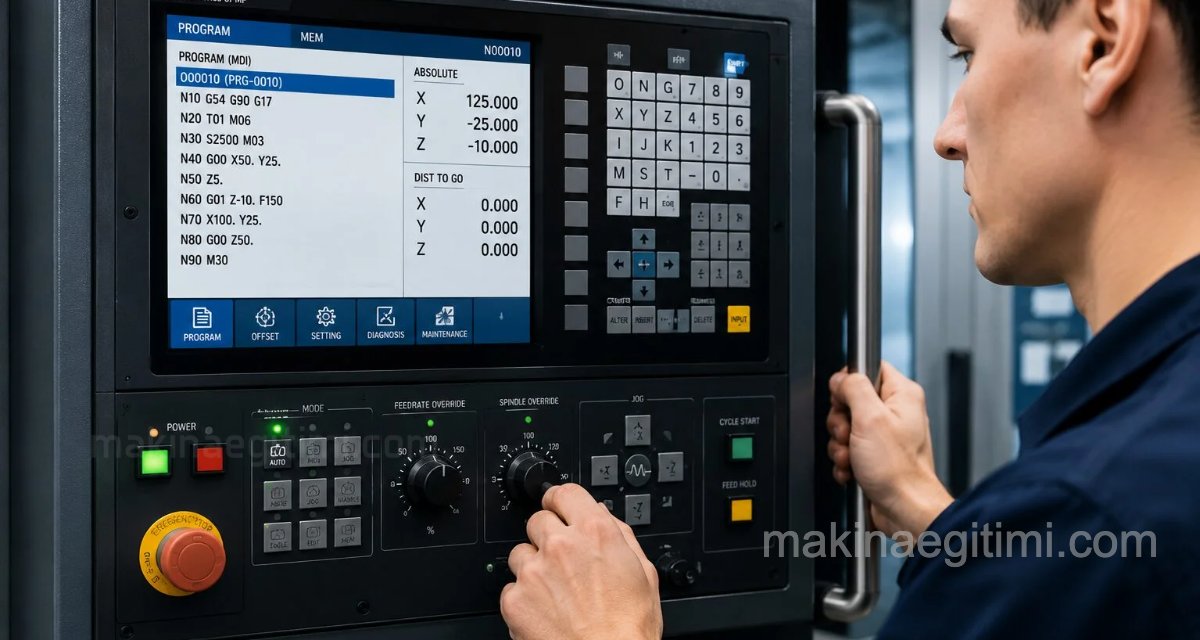
A video walkthrough of powering on a Fanuc-controlled CNC lathe. The goal is to create an ideal resource for anyone who wants to learn how a CNC lathe is powered on. Made by technical teacher Ahmet Kaya, and supported with step-by-step animations and images.
Illustrated Walkthrough of Powering On a CNC Lathe

After pressing the power on button, the CNC machine, just like a computer booting up, starts processing the commands stored in its memory, and uses the CRT screen to inform you, guide you, and give warnings about what’s happening whenever needed.

While the CNC machine is powering on, you keep an eye on the CRT screen to check whether what’s happening is normal or whether something unusual is occurring.

If everything is normal when a Fanuc CNC lathe powers on, this will be the first message you see on the CRT screen: PRESS RESET KEY. In other words, press the RESET key.

Right next to the CRT screen there’s a keypad, similar to a computer keyboard, for entering commands. The location of the RESET key is shown above.

As the next step in powering on the CNC lathe, we encounter the HYDSTART warning on the CRT screen. We need to press the HYDSTART key to start up the hydraulic system. The location of the HYDSTART button on the CNC control panel is shown above.

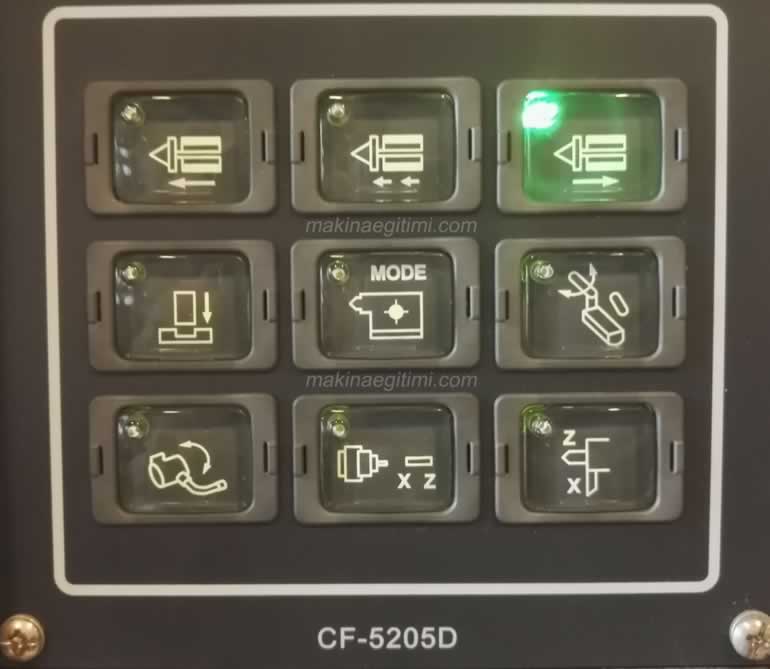
In the next step of powering on the CNC lathe, we’ll press the tailstock retract key. The location of the tailstock retract key on the control panel is shown above.

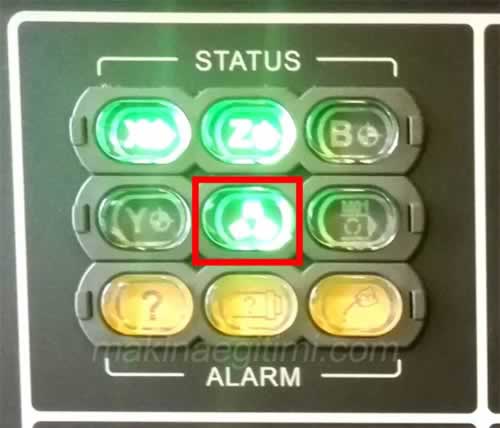
In the next step, we press the pedal to supply hydraulic power to the lathe chuck. We’ll see the chuck light come on in the control panel’s status section.

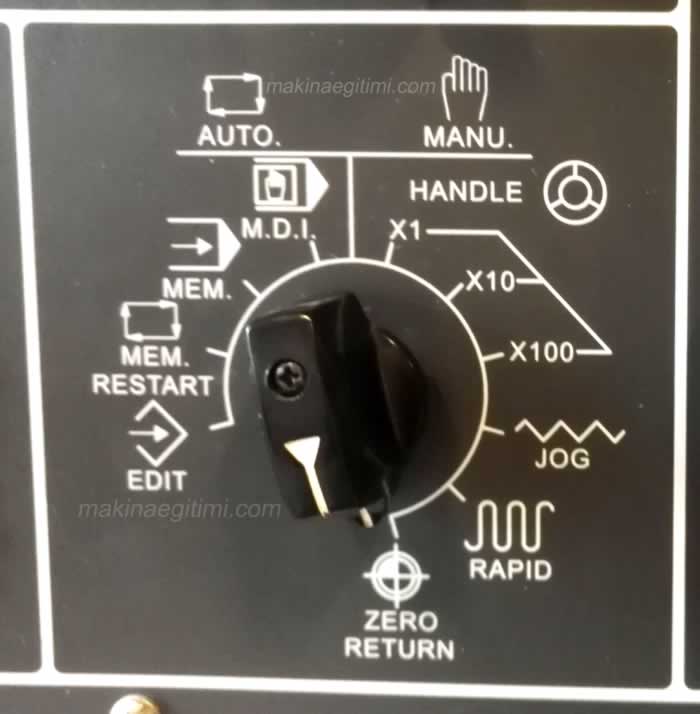
In the next step, we’ll send the tools on the turret to the reference point. To do this, we first turn the mode select switch’s dial to ZERO RETURN.

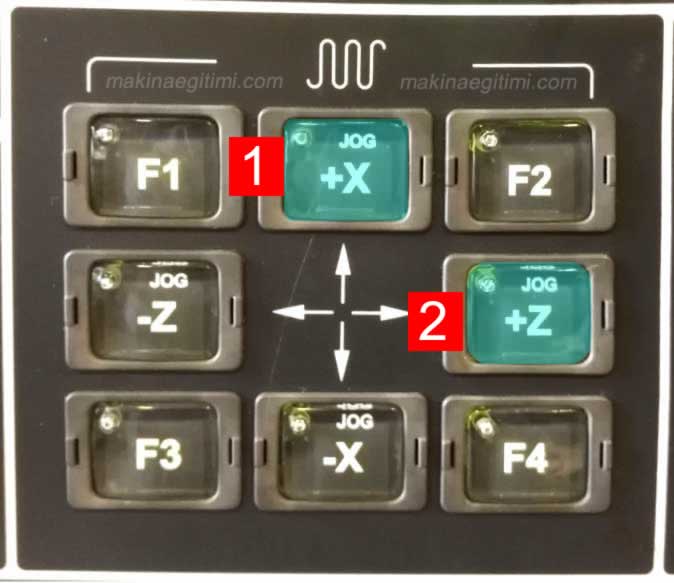
Then we press the +X and +Z keys, in that order, in the area shown above. Following this order matters, in case the turret might hit something.
After these steps, we’ve finished powering on the CNC lathe, and the machine is ready to run.
Reference Point (G54)
When a CNC lathe powers on, the workpiece coordinate system is usually defined by one of the G54–G59 offset registers.
Zero Return
After power-on, every axis must perform a zero return to find the machine’s home position.
Emergency Stop Check
One of the first things to check when powering on the machine is that the emergency stop button and safety doors are working correctly.
Related Questions
This warning shows that the machine’s hydraulic system hasn’t been started yet. Since a lathe runs many mechanisms (chuck, tailstock, etc.) on hydraulic pressure, this system must be brought online by pressing the HYDSTART key.
RESET clears any leftover warnings or alarm states stored in the machine’s memory and brings the system to a known, safe starting state. If this step is skipped, the machine could power on carrying over a state from the previous session.
Related Posts
 Mechanical Clamping Elements on Machine Tools
 Video: The World’s Best Cutting Tools
 CNC Milling Workshop Operating Instructions
 CNC Longitudinal Turning Cycle – G90 – G71 – G70
 CNC Lathe Programming Examples
 What the Keys on the CNC Milling Control Panel Mean
 G75 CNC Grooving Cycle Code Explained
 CNC Milling Programming Examples