
Close Menu
  • MAKİNELER ve İMALAT
    • Tools & Equipment
    • Computer-Aided Drawing
    • CAD/CAM Education
    • CNC Machine Programming
    • Casting Technologies
    • Electrical & Electronics Technologies
    • Hydraulics & Pneumatics
    • Manufacturing Processes
    • Manufacturing Technologies
    • Occupational Safety
    • Mold & Die Design
    • Solid Modeling
    • Welding Technology
    • Machine Elements
    • Mechanical Trade Drawing
    • Materials Science
    • Automotive & Vehicle Technologies
    • Robotics Technologies
    • Health Technologies
    • Defense & Aerospace Technologies
    • Descriptive Geometry
    • Technical Drawing
    • Software & Hardware Technologies
    • Innovative Manufacturing Methods
  • TEKNOLOJİ ve YAŞAM
    • OTOMOBİLLER ve TAŞIT
      • Vehicle & Engine Knowledge
      • Safe Driving
      • Sürüş Destek Sistemleri
    • Genel Kültür
      • Movies & TV Shows
      • Görsel ve Grafik Sanat
      • Books & Literature
      • Music
      • Sports
      • History
      • History of Technology
    • GÜNDELİK YAŞAM TEKNOLOJİLERİ
    • Hobbies & Entertainment
    • Internet Technologies
    • Health
    • Mobile Technologies
Makine Eğitimi
  • Machines & Manufacturing
    Machine Elements
    Hydraulics & Pneumatics
    Technical Drawing
    Computer-Aided Design & Manufacturing
    Basic Manufacturing Processes
    Manufacturing Processes
    Industry Technologies
    Other Technical Courses
    Motion & Power Transmission
    Simple Machines
    Chains & Sprockets
    Shafts & Journals
    Gears
    Cams
    Couplings
    Belts & Pulleys
    Springs
    Bearings
    Keys
    Fastening Joining
    Retaining Rings
    Screws, Bolts & Nuts
    Cotter Pins
    Flanges
    Welding
    Rivets
    Pins & Bolts
    Washers
    Calculators
    Gear Ratio Calculator
    Spring Constant Calculator
    Belt Pulley Ratio Calculator
    Other Machine Elements
    Slides & Linear Guides
    Brakes
    Flywheels
    Clamps
    Shock Absorbers
    Gaskets & O-Rings
    Seals & Sealing Elements
    Hydraulics
    Introduction to Hydraulics & Principles
    Hydraulic Systems & Applications
    Accumulators
    Filters
    Motors
    Pumps
    Valves
    Pneumatics
    Introduction to Pneumatics & Principles
    Pneumatic Systems & Applications
    Pneumatic Circuit Components
    Valves
    Cylinders
    Silencers
    Motors
    Compressors
    Dryers
    Conditioning Units
    Common Topics & Maintenance
    Hydraulic & Pneumatic Maintenance
    Study Notes, Exams & Tests
    Technical Drawing
    Introduction to Technical Drawing
    Geometric Drawings
    Perspective & Projection
    Orthographic Views
    Dimensioning
    Sectioning
    Assembly & Detail Drawings
    Tolerances
    Surface Finish Symbols
    Mechanical Engineering Drawing
    Screws, Bolts & Nuts
    Pulley Drawings
    Gear Drawings
    Shafts & Journals
    Bearing Drawings
    Pins & Bolts
    Spring Drawings
    Welds in Technical Drawing
    Washers
    Cotter Pins
    Technical Drawing Exercises
    Mechanical Drawing Exercises
    Gear Exercises
    View Extraction Exercises
    Pulley Exercises
    Pin & Bolt Exercises
    Threaded Fastening Exercises
    Descriptive Geometry
    Computer-Aided Drawing
    AutoCAD Drawing Lessons
    Solid Modeling & Animation
    Solid Model Drawing Files
    Solid Model Assembly Examples
    Solid Model Drawing Lessons
    3D CAD Software Reviews
    Solid Modeling Exercises
    CNC Programming
    CAM
    Measurement & Inspection
    Dial Indicators
    Calipers
    Gauges
    Micrometers
    Materials Science
    Steels
    Cast Iron
    Aluminum
    Plastics
    Material Testing & Hardness Measurement
    Occupational Safety
    Workshop Safety
    Safety When Working With Electricity
    Machine Safety Rules
    Hand Operations
    Filing
    Marking
    Cutting Operations
    Reaming
    Tapping
    Threading With a Die
    Drill Bit Sharpening
    Working With Machines
    Basic Turning Operations
    Basic Milling Operations
    Shaper Machine
    Machining
    Turning
    Milling
    Grinding
    Innovative Manufacturing Methods
    EDM (Electrical Discharge Machining)
    Laser Machining
    Waterjet Machining
    3D Printing
    3D Scanners
    Welding
    Rolling
    Casting
    Mold & Die Design
    Mechanical & Hydraulic Presses
    Blanking & Piercing Dies
    Bending Dies
    Drawing Dies
    Plastic Injection Molds
    Extrusion Dies
    Compound Dies
    Progressive Dies
    Blow Molds
    Spinning Dies
    Spray Molds
    Manufacturing of Machine Parts
    Automotive & Vehicle Technologies
    Motor Vehicle Manufacturing
    Raw Material Production
    History of Technology
    Health & Medical Technologies
    Defense & Aerospace
    Robotics Technologies
    Software & Hardware Technologies
    Mechanics - Strength of Materials
    Physics Topics
  • Technology & Life
    Hobbies & Entertainment
    Sports
    Music
    Vehicle & Engine Knowledge
    Vehicle Maintenance & Repair
    Safe Driving
    Driver Assistance Systems
    History
    Movies & TV Shows
    Books & Literature
    Computers & Internet
    Computer Tips
    Software Reviews
    Hardware & Peripherals
    Practical & Safe Internet Use
    Visual & Graphic Art
    Mobile Technologies
    Travel
    Science
    Health
    First Aid Knowledge
    Everyday Technologies
Makine Eğitimi
Home»Software & Hardware Technologies»Catia vs SolidWorks Comparison
29 August 2026

Catia vs SolidWorks Comparison

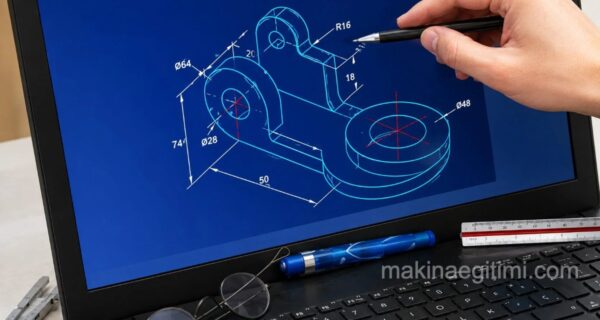
laptop showing a SolidWorks screen and a solid model

CATIA and SOLIDWORKS both belong to the same company, DASSAULT SYSTEMES. It is a French multinational software company that develops 3D design, 3D digital mockup, and PLM (product lifecycle management) software. These two software packages are not technical rivals — they target different segments within the industry.

catia vs solidworks comparison

Catia and SolidWorks are popular CAD software packages used for 3D design and product development. Both are versatile and designed for professional use. However, Catia is generally more widely used in industrial fields such as aerospace, defense, and automotive, while SolidWorks is more often preferred in fields like manufacturing and mechanical engineering. Both software packages contain a large number of features and tools, but Catia offers more advanced analytical tools and allows for a higher level of parametric design. SolidWorks, being easier to use and more intuitive, offers faster workflow, especially during the design stage.

Differences Between Catia and Solidworks

CatiaSolidworks
Catia is a PLM (Product Lifecycle Management) program.Solidworks is a Parametric 3D CAD program
CATIA is a giant, an all-in-one package on a completely different scale. Both software packages play a very important role in their own place, so comparing them against each other is somewhat trivial.SolidWorks has a more user-friendly and easier-to-use interface than CATIA.
SolidWorks is used for Design, Electrical, and Mechanical workflows outside of architectural design.
Catia is full-power software and is Not User-FriendlySolidworks is easy to use and user-friendly
CATIA does not have Advanced Surfacing features.SolidWorks is rich in Advanced Surfacing features, capable of creating mid surfaces, planar surfaces, extrusions, freeform lofted surfaces, Minimum Radius Analysis, Surface Fill, Sweep, Symmetry Check Analysis, Trim, Undercut Analysis, and much more.
CATIA lacks Sheet Metal Design Features such as Forming Tools, Bend Lines, and Hole Tables.All Sheet Metal Design Features are available.
The only supported readable file formats are ASCII, DXF, and IGES.Readable files support ACIS, ASM, BMP, DRW, DWG, ASCII, and much more.
License fee starting from $25,000License starts from $6,000.
Catia is more often preferred for large projects.Solidworks is more geared toward smaller projects and smaller companies.

CATIA’s Area of Use


CATIA is especially preferred for complex surface modeling in the aerospace and automotive sectors.

SolidWorks’ Ease of Use


SolidWorks is widely used in small-to-medium-sized businesses and in education thanks to its more intuitive interface.

License Cost


CATIA’s license cost is generally higher than SolidWorks’ and is geared toward enterprise-scale projects.

Related Questions

Catia is designed with advanced analysis tools for projects requiring very large and complex assemblies, like aerospace and automotive. Solidworks, with its simpler interface, enables faster results in everyday mechanical engineering work.

PLM refers to a comprehensive system that can manage a product’s entire process, from design through production and even to the end of its service life. Parametric CAD, on the other hand, is a tool that focuses more on the 3D design of a part, automatically updating the model based on dimensional changes.

Related Posts

how to increase fps in games How to Increase FPS in Games macos screenshot key combination Taking a Screenshot on Mac OS X. Screenshot Without Software What to Watch for When Buying a Laptop? What to Watch for When Buying a Laptop? Motion capture software comparison Software Used in Motion Capture (Mocap) laptop with SolidWorks screen and a solid model Best 5 CAD Software Programs for Furniture Design color picker Color Codes Program for Mac OS X. Download Color Picker how to delete an undeletable file on a Mac How Do We Delete Files That Won’t Delete on macOS laptop solidworks ekranı ve katı model Advantages of Computer-Aided Design


3D CAD Software Reviews
Share. Facebook Twitter WhatsApp Tumblr Email Telegram Copy Link

Leave A Reply Cancel Reply

What Is Biodiesel? Properties, Production, and Advantages
Don’t Die Without Reading Them: The 10 Best Mystery and Crime Novels
  • Contact
  • Terms of Service
  • Privacy & Cookie Policy

Type above and press Enter to search. Press Esc to cancel.