Close Menu
  • MAKİNELER ve İMALAT
    • Tools & Equipment
    • Computer-Aided Drawing
    • CAD/CAM Education
    • CNC Machine Programming
    • Casting Technologies
    • Electrical & Electronics Technologies
    • Hydraulics & Pneumatics
    • Manufacturing Processes
    • Manufacturing Technologies
    • Occupational Safety
    • Mold & Die Design
    • Solid Modeling
    • Welding Technology
    • Machine Elements
    • Mechanical Trade Drawing
    • Materials Science
    • Automotive & Vehicle Technologies
    • Robotics Technologies
    • Health Technologies
    • Defense & Aerospace Technologies
    • Descriptive Geometry
    • Technical Drawing
    • Software & Hardware Technologies
    • Innovative Manufacturing Methods
  • TEKNOLOJİ ve YAŞAM
    • OTOMOBİLLER ve TAŞIT
      • Vehicle & Engine Knowledge
      • Safe Driving
      • Sürüş Destek Sistemleri
    • Genel Kültür
      • Movies & TV Shows
      • Görsel ve Grafik Sanat
      • Books & Literature
      • Music
      • Sports
      • History
      • History of Technology
    • GÜNDELİK YAŞAM TEKNOLOJİLERİ
    • Hobbies & Entertainment
    • Internet Technologies
    • Health
    • Mobile Technologies
Makine Eğitimi
  • Machines & Manufacturing
    Machine Elements
    Hydraulics & Pneumatics
    Technical Drawing
    Computer-Aided Design & Manufacturing
    Basic Manufacturing Processes
    Manufacturing Processes
    Industry Technologies
    Other Technical Courses
    Motion & Power Transmission
    Simple Machines
    Chains & Sprockets
    Shafts & Journals
    Gears
    Cams
    Couplings
    Belts & Pulleys
    Springs
    Bearings
    Keys
    Fastening Joining
    Retaining Rings
    Screws, Bolts & Nuts
    Cotter Pins
    Flanges
    Welding
    Rivets
    Pins & Bolts
    Washers
    Calculators
    Gear Ratio Calculator
    Spring Constant Calculator
    Belt Pulley Ratio Calculator
    Other Machine Elements
    Slides & Linear Guides
    Brakes
    Flywheels
    Clamps
    Shock Absorbers
    Gaskets & O-Rings
    Seals & Sealing Elements
    Hydraulics
    Introduction to Hydraulics & Principles
    Hydraulic Systems & Applications
    Accumulators
    Filters
    Motors
    Pumps
    Valves
    Pneumatics
    Introduction to Pneumatics & Principles
    Pneumatic Systems & Applications
    Pneumatic Circuit Components
    Valves
    Cylinders
    Silencers
    Motors
    Compressors
    Dryers
    Conditioning Units
    Common Topics & Maintenance
    Hydraulic & Pneumatic Maintenance
    Study Notes, Exams & Tests
    Technical Drawing
    Introduction to Technical Drawing
    Geometric Drawings
    Perspective & Projection
    Orthographic Views
    Dimensioning
    Sectioning
    Assembly & Detail Drawings
    Tolerances
    Surface Finish Symbols
    Mechanical Engineering Drawing
    Screws, Bolts & Nuts
    Pulley Drawings
    Gear Drawings
    Shafts & Journals
    Bearing Drawings
    Pins & Bolts
    Spring Drawings
    Welds in Technical Drawing
    Washers
    Cotter Pins
    Technical Drawing Exercises
    Mechanical Drawing Exercises
    Gear Exercises
    View Extraction Exercises
    Pulley Exercises
    Pin & Bolt Exercises
    Threaded Fastening Exercises
    Descriptive Geometry
    Computer-Aided Drawing
    AutoCAD Drawing Lessons
    Solid Modeling & Animation
    Solid Model Drawing Files
    Solid Model Assembly Examples
    Solid Model Drawing Lessons
    3D CAD Software Reviews
    Solid Modeling Exercises
    CNC Programming
    CAM
    Measurement & Inspection
    Dial Indicators
    Calipers
    Gauges
    Micrometers
    Materials Science
    Steels
    Cast Iron
    Aluminum
    Plastics
    Material Testing & Hardness Measurement
    Occupational Safety
    Workshop Safety
    Safety When Working With Electricity
    Machine Safety Rules
    Hand Operations
    Filing
    Marking
    Cutting Operations
    Reaming
    Tapping
    Threading With a Die
    Drill Bit Sharpening
    Working With Machines
    Basic Turning Operations
    Basic Milling Operations
    Shaper Machine
    Machining
    Turning
    Milling
    Grinding
    Innovative Manufacturing Methods
    EDM (Electrical Discharge Machining)
    Laser Machining
    Waterjet Machining
    3D Printing
    3D Scanners
    Welding
    Rolling
    Casting
    Mold & Die Design
    Mechanical & Hydraulic Presses
    Blanking & Piercing Dies
    Bending Dies
    Drawing Dies
    Plastic Injection Molds
    Extrusion Dies
    Compound Dies
    Progressive Dies
    Blow Molds
    Spinning Dies
    Spray Molds
    Manufacturing of Machine Parts
    Automotive & Vehicle Technologies
    Motor Vehicle Manufacturing
    Raw Material Production
    History of Technology
    Health & Medical Technologies
    Defense & Aerospace
    Robotics Technologies
    Software & Hardware Technologies
    Mechanics - Strength of Materials
    Physics Topics
  • Technology & Life
    Hobbies & Entertainment
    Sports
    Music
    Vehicle & Engine Knowledge
    Vehicle Maintenance & Repair
    Safe Driving
    Driver Assistance Systems
    History
    Movies & TV Shows
    Books & Literature
    Computers & Internet
    Computer Tips
    Software Reviews
    Hardware & Peripherals
    Practical & Safe Internet Use
    Visual & Graphic Art
    Mobile Technologies
    Travel
    Science
    Health
    First Aid Knowledge
    Everyday Technologies
Makine Eğitimi
Home»Software & Hardware Technologies»Advantages of Computer-Aided Design
30 August 2026

Advantages of Computer-Aided Design

laptop solidworks ekranı ve katı model

Computer-aided design, also known as CAD (Computer Aided Design), refers first and foremost to the use of software to create, edit, and define various designs that can later be put to a wide range of uses. If you don’t know what CAD is and the benefits it offers, here are the right details to help you.

  • The Core Benefits of CAD
    • Reduction in the error rate 
    • Reduced effort 
    • Time Savings 
    • Ease of Editing
    • Reuse of work 
    • 3D drawing, assembly, and animation capability
    • Improved accuracy 
    • Ease of sharing
    • Stress and strength analysis capability
  • Related Questions

The Core Benefits of CAD

Below are some of the important advantages of using CAD software .

Reduction in the error rate 

Since CAD software uses some of the best tools available, the error rate caused by manual design is significantly reduced.

Reduced effort 

When it comes to the amount of effort required to design different models, this is significantly reduced because the software automates most of the task.

Time Savings 

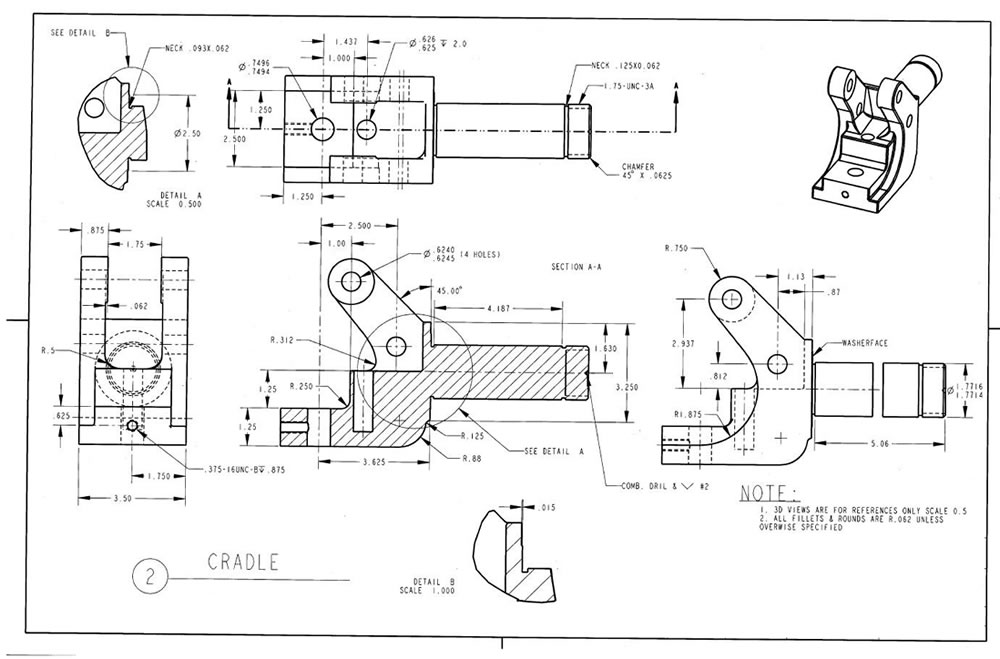
Using computer-aided design software saves time and lets you produce better, more efficient designs in a shorter time. For example, in AutoCAD, you can use the OFFSET command for repeating parallel lines. You can easily create shapes that repeat at fixed intervals with the ARRAY command. You can create hatching with a single click using the HATCH command. When drawing the complete assembly of a complex machine, instead of drawing every bolt and nut individually, over and over, you can pull them from a library and place them in the correct position.
advantages of cad software

Ease of Editing

You may need to make changes while designing. When you use computer-aided design software, making any change is much easier because you can correct errors and modify drawings with ease.

Reuse of work 

Since the whole task is done with the help of computer tools, it eliminates the problem of duplicated work — you can copy different parts of the design and reuse them repeatedly afterward.

3D drawing, assembly, and animation capability

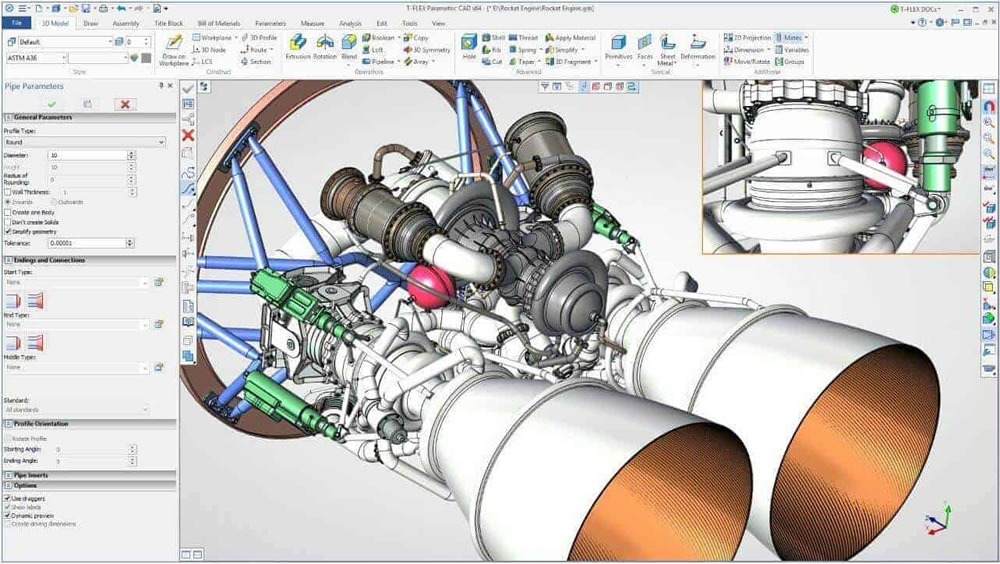
Another important advantage of computer-aided design is the ability to create 3D drawings and assemble parts drawn by separate individuals or teams. It is possible to simulate the motion of an assembled moving machine with animation.

You cannot create a true 3D drawing using manual methods. At best you can draw perspective images that merely look three-dimensional. You cannot view the part you’ve drawn from different angles, from below or above.
advantages of cad software

Improved accuracy 

There is no doubt that the kind of accuracy CAD software offers can never be achieved by choosing manual drawing methods. You have tools to measure the precision, skill, and accuracy level of your designs.

Ease of sharing

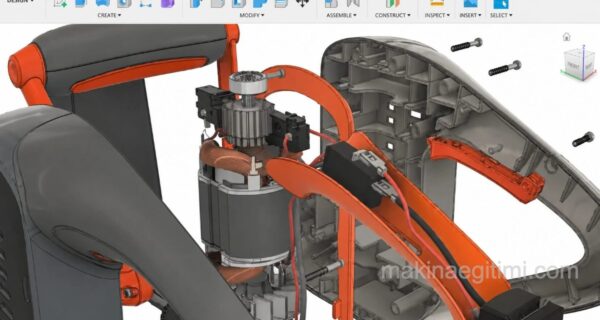
CAD tools make it easy to save files, store them in a way you can reuse repeatedly, and send them without unwanted issues. You can also send your CAD drawing to a project team member on the other side of the world within minutes, and they can make the necessary corrections and send it back to you within minutes. In fact, thanks to cloud technology, people who are kilometers apart can even work on the same project as if they were in the same workshop — this too is one of the benefits computer-aided design brings.

benefits of computer-aided design

Stress and strength analysis capability

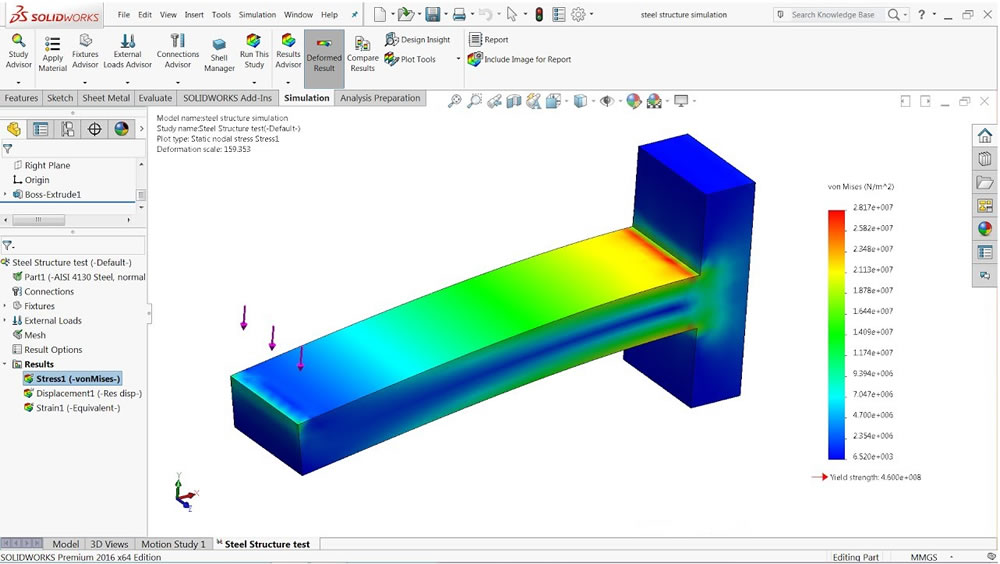
With computer-aided design programs, you can assign material properties (for example, aluminum) to the part you’ve drawn. You can determine the part’s weakest point as a result of a load applied at any point, and whether the applied load would deform the part.
advantages of computer-aided design

In this article, we covered the advantages of computer-aided design (CAD) software. We looked at how computer-aided drawing and design outperform manual drawing methods. See you in our next articles.

Quick Editing


Thanks to parametric design, CAD software automatically applies dimension changes across the entire model.

Fewer Errors


Computer-aided design significantly reduces measurement and drawing errors compared to manual drafting.

Simulation Capability


CAD software allows a part’s durability to be tested virtually before production.

Related Questions

The software creates dimensions and repeating shapes automatically and consistently, which eliminates the dimension drift or parallelism errors common in hand drawing. Also, a single change is automatically reflected across the entire related drawing.

Instead of redrawing repeating or parallel shapes one by one, these commands automatically create them by duplicating or shifting an existing shape. This provides major time savings, especially with complex, repeating patterns.

Related Posts

laptop solidworks screen and solid model Best Landscape Design Software – Review differences between usb 2.0 3.0 and 3.1 What to Look for When Buying a Flash Drive color picker Color Codes Program for Mac OS X. Download Color Picker Tips for Speeding Up Windows Startup Tips for Speeding Up Windows Startup laptop showing a SolidWorks screen and a solid model The Best Free CAD Software for 3D Print Design Removing video from a file using QuickTime on Mac OS Mac OS: Remove Video From Files to Shrink Their Size Best Laptops Ranking The Best Laptops of 2022 laptop solidworks screen and solid model The Best Free Open-Source CAD Software




Share. Facebook Twitter WhatsApp Tumblr Email Telegram Copy Link

Leave A Reply Cancel Reply

Traffic Regulatory Signs and Their Meanings. Restriction and Command Signs
What the Markings on a Car Tire Mean
  • Contact
  • Terms of Service
  • Privacy & Cookie Policy

Type above and press Enter to search. Press Esc to cancel.