


Example part for practicing the AutoCAD CIRCLE, OSNAP Tangent, and MIRROR commands

Example part for practicing the AutoCAD CIRCLE (tan tan radius), OFFSET, and TRIM commands

Example part for practicing the AutoCAD CIRCLE, OFFSET, TRIM, and OSNAP Tangent commands


Example exercise for the AutoCAD CIRCLE, ARRAY, FILLET, and TRIM commands

Example part for the AutoCAD CIRCLE, POLYGON, OFFSET, and TRIM commands

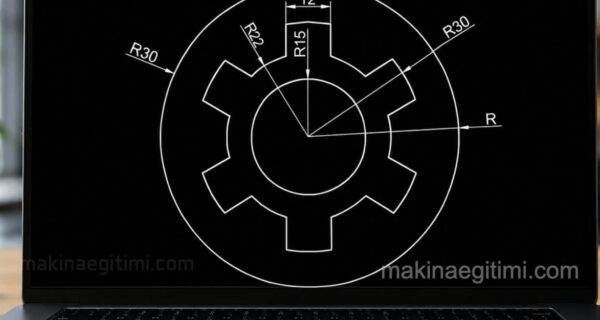
Example part for the AutoCAD CIRCLE, ARRAY, and TRIM commands

Example part drawing for the CIRCLE (Tan tan radius), ARRAY, and TRIM commands.
NOTE: Click on the images to see a larger version.

Example part covering the AutoCAD CIRCLE, ARRAY, and TRIM commands

Part for the AutoCAD CIRCLE, OFFSET, ARRAY, and TRIM commands

Example part drawing for the AutoCAD ELLIPSE, OFFSET, POLYGON, and TRIM commands


An example part for the AutoCAD OFFSET and TRIM commands


You can download the PDF and DWG file formats of the drawings given up to this point.
To the side you can see a preview of the files.
Related Posts
 AutoCAD Example Drawings 2 – Complex Drawings
 How to Add Tolerance in AutoCAD. Adding Tolerance
 AutoCAD Drawing Exercise 2 – ARRAY Command
 Technical Drawing View Extraction Examples 2
 2D Dimensioned Drawing Examples – Part 2
 AutoCAD Drawing Exercise 4 – Trim, Offset, Array
 How to Add a Datum Symbol in AutoCAD Dimensioning
 AutoCAD Drawing Exercise – Circle-Tangent-Trim-Fillet