Close Menu
  • MAKİNELER ve İMALAT
    • Tools & Equipment
    • Computer-Aided Drawing
    • CAD/CAM Education
    • CNC Machine Programming
    • Casting Technologies
    • Electrical & Electronics Technologies
    • Hydraulics & Pneumatics
    • Manufacturing Processes
    • Manufacturing Technologies
    • Occupational Safety
    • Mold & Die Design
    • Solid Modeling
    • Welding Technology
    • Machine Elements
    • Mechanical Trade Drawing
    • Materials Science
    • Automotive & Vehicle Technologies
    • Robotics Technologies
    • Health Technologies
    • Defense & Aerospace Technologies
    • Descriptive Geometry
    • Technical Drawing
    • Software & Hardware Technologies
    • Innovative Manufacturing Methods
  • TEKNOLOJİ ve YAŞAM
    • OTOMOBİLLER ve TAŞIT
      • Vehicle & Engine Knowledge
      • Safe Driving
      • Sürüş Destek Sistemleri
    • Genel Kültür
      • Movies & TV Shows
      • Görsel ve Grafik Sanat
      • Books & Literature
      • Music
      • Sports
      • History
      • History of Technology
    • GÜNDELİK YAŞAM TEKNOLOJİLERİ
    • Hobbies & Entertainment
    • Internet Technologies
    • Health
    • Mobile Technologies
Makine Eğitimi
  • Machines & Manufacturing
    Machine Elements
    Hydraulics & Pneumatics
    Technical Drawing
    Computer-Aided Design & Manufacturing
    Basic Manufacturing Processes
    Manufacturing Processes
    Industry Technologies
    Other Technical Courses
    Motion & Power Transmission
    Simple Machines
    Chains & Sprockets
    Shafts & Journals
    Gears
    Cams
    Couplings
    Belts & Pulleys
    Springs
    Bearings
    Keys
    Fastening Joining
    Retaining Rings
    Screws, Bolts & Nuts
    Cotter Pins
    Flanges
    Welding
    Rivets
    Pins & Bolts
    Washers
    Calculators
    Gear Ratio Calculator
    Spring Constant Calculator
    Belt Pulley Ratio Calculator
    Other Machine Elements
    Slides & Linear Guides
    Brakes
    Flywheels
    Clamps
    Shock Absorbers
    Gaskets & O-Rings
    Seals & Sealing Elements
    Hydraulics
    Introduction to Hydraulics & Principles
    Hydraulic Systems & Applications
    Accumulators
    Filters
    Motors
    Pumps
    Valves
    Pneumatics
    Introduction to Pneumatics & Principles
    Pneumatic Systems & Applications
    Pneumatic Circuit Components
    Valves
    Cylinders
    Silencers
    Motors
    Compressors
    Dryers
    Conditioning Units
    Common Topics & Maintenance
    Hydraulic & Pneumatic Maintenance
    Study Notes, Exams & Tests
    Technical Drawing
    Introduction to Technical Drawing
    Geometric Drawings
    Perspective & Projection
    Orthographic Views
    Dimensioning
    Sectioning
    Assembly & Detail Drawings
    Tolerances
    Surface Finish Symbols
    Mechanical Engineering Drawing
    Screws, Bolts & Nuts
    Pulley Drawings
    Gear Drawings
    Shafts & Journals
    Bearing Drawings
    Pins & Bolts
    Spring Drawings
    Welds in Technical Drawing
    Washers
    Cotter Pins
    Technical Drawing Exercises
    Mechanical Drawing Exercises
    Gear Exercises
    View Extraction Exercises
    Pulley Exercises
    Pin & Bolt Exercises
    Threaded Fastening Exercises
    Descriptive Geometry
    Computer-Aided Drawing
    AutoCAD Drawing Lessons
    Solid Modeling & Animation
    Solid Model Drawing Files
    Solid Model Assembly Examples
    Solid Model Drawing Lessons
    3D CAD Software Reviews
    Solid Modeling Exercises
    CNC Programming
    CAM
    Measurement & Inspection
    Dial Indicators
    Calipers
    Gauges
    Micrometers
    Materials Science
    Steels
    Cast Iron
    Aluminum
    Plastics
    Material Testing & Hardness Measurement
    Occupational Safety
    Workshop Safety
    Safety When Working With Electricity
    Machine Safety Rules
    Hand Operations
    Filing
    Marking
    Cutting Operations
    Reaming
    Tapping
    Threading With a Die
    Drill Bit Sharpening
    Working With Machines
    Basic Turning Operations
    Basic Milling Operations
    Shaper Machine
    Machining
    Turning
    Milling
    Grinding
    Innovative Manufacturing Methods
    EDM (Electrical Discharge Machining)
    Laser Machining
    Waterjet Machining
    3D Printing
    3D Scanners
    Welding
    Rolling
    Casting
    Mold & Die Design
    Mechanical & Hydraulic Presses
    Blanking & Piercing Dies
    Bending Dies
    Drawing Dies
    Plastic Injection Molds
    Extrusion Dies
    Compound Dies
    Progressive Dies
    Blow Molds
    Spinning Dies
    Spray Molds
    Manufacturing of Machine Parts
    Automotive & Vehicle Technologies
    Motor Vehicle Manufacturing
    Raw Material Production
    History of Technology
    Health & Medical Technologies
    Defense & Aerospace
    Robotics Technologies
    Software & Hardware Technologies
    Mechanics - Strength of Materials
    Physics Topics
  • Technology & Life
    Hobbies & Entertainment
    Sports
    Music
    Vehicle & Engine Knowledge
    Vehicle Maintenance & Repair
    Safe Driving
    Driver Assistance Systems
    History
    Movies & TV Shows
    Books & Literature
    Computers & Internet
    Computer Tips
    Software Reviews
    Hardware & Peripherals
    Practical & Safe Internet Use
    Visual & Graphic Art
    Mobile Technologies
    Travel
    Science
    Health
    First Aid Knowledge
    Everyday Technologies
Makine Eğitimi
Home»Software & Hardware Technologies»What Is a Solid State Drive (SSD)? Advantages of SSD Drives
30 August 2026

What Is a Solid State Drive (SSD)? Advantages of SSD Drives

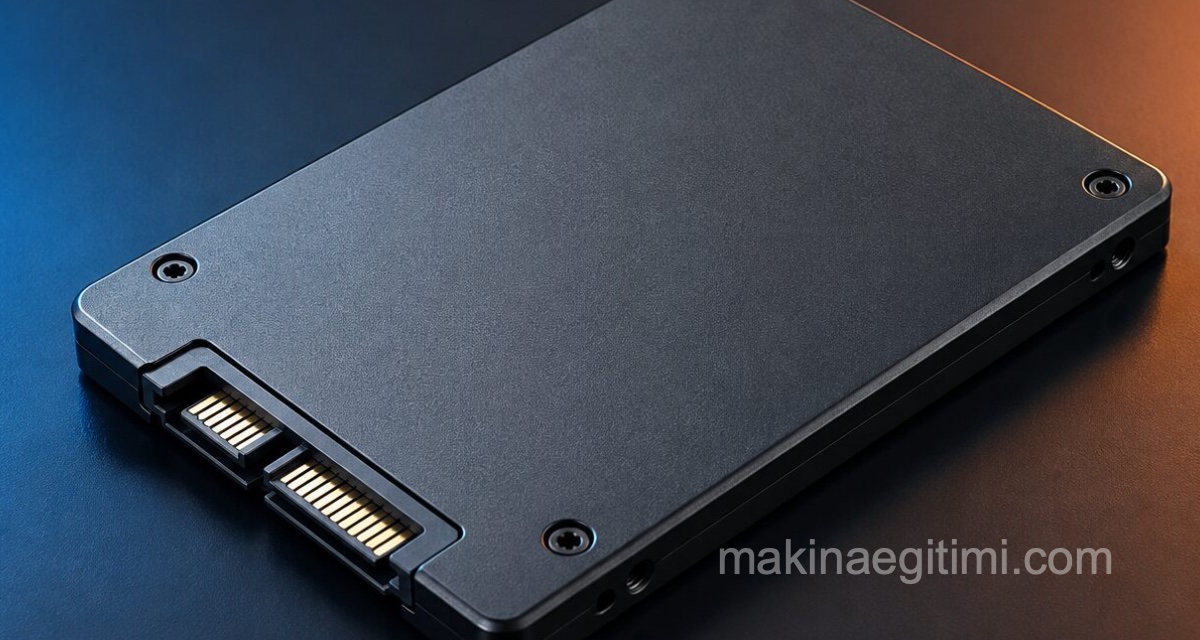
ssd drive

Solid state refers to an electronic circuit made entirely of semiconductors. Today, most electronics are built around semiconductors and chips. A solid state drive uses semiconductors as its primary storage medium, instead of the magnetic platters of a traditional hard drive.

  • Similarities and Differences Between Flash Drives and SSDs
  • Advantages and Disadvantages of SSDs
  • Why Should You Use an SSD?
  • Why Are SSDs Safer?
  • Why Aren’t SSDs Used in All Computers?
  • Related Questions

Similarities and Differences Between Flash Drives and SSDs

SSDs and USB flash drives use the same type of non-volatile memory chips that retain information without power. The difference lies in the drives’ form factor and capacity. A flash drive is designed to stay outside the computer system, while an SSD is designed to remain inside the computer, replacing a more traditional hard drive.

Advantages and Disadvantages of SSDs

Advantages of SSDs

Lower power usage.
Provides faster data access.
Provides higher reliability.

Disadvantages of SSDs

More expensive than a traditional hard drive.
Shorter lifespan.
Less capacity availability.

ssd drive

Read-Write Speed


SSDs can offer 5-10 times faster read/write performance compared to conventional HDDs.

No Moving Parts


Since SSDs have no mechanical moving parts, they’re much more resistant to shocks than HDDs.

Low Power Consumption


Since SSDs don’t need spinning disks, they consume less power, extending battery life on laptops.

Why Should You Use an SSD?

Solid state drives offer several advantages over magnetic hard drives. First, an SSD has no moving parts. While a magnetic drive uses drive motors to spin the magnetic platters and drive heads, all storage in a solid state drive is handled by flash memory chips.

hdd ssd

Power usage plays an important role in the use of solid state drives in portable computers. Since there’s no power draw for motors, an SSD uses less electricity than a normal hard drive.

Since the drive doesn’t spin a platter or move drive heads, faster data reads are achieved.

Why Are SSDs Safer?

Reliability is also an important factor for portable drives. Hard drive platters are fragile and sensitive. Small jarring movements from even a short drop can damage the drive.

Since SSDs store their data on memory chips, there are fewer moving parts to be damaged by an impact. Although SSDs are mechanically better, they do have a limited lifespan. This comes from a fixed number of write cycles a drive can undergo before its cells become unusable. However, for most consumers, write cycle limits exceed the lifespan of the computer they’re used in. So there’s no need to worry about this.

Why Aren’t SSDs Used in All Computers?

As with most computer technology, the primary limiting factor in using solid state drives in laptops and desktops is cost. These drives have been available for a while now, and their prices have dropped. However, they still cost roughly three times more, or more, than a traditional hard disk drive for the same storage capacity. The higher the hard drive’s capacity, the bigger the cost difference becomes.

Even with the capacity difference, most computers now have more storage capacity than previous models. Only a large collection of raw digital photo files and high-definition video files would likely fill up a hard drive quickly. As a result, solid state drives generally offer an adequate level of storage for most laptops. Additionally, high-performance external options via USB 3.0, USB 3.1, and Thunderbolt make it fast and easy to add extra storage with an external hard drive for less-needed files.

Frequently Asked Questions

  • How do you install an SSD?
    Although the instructions vary slightly depending on the brand of SSD you have, you generally need to disconnect all cables from your computer and turn off the power supply. Then open your computer’s case, place the SSD in the appropriate slot, and screw it in. Reconnect the cables. Once installation is complete, check your computer’s BIOS to make sure it recognizes the new SSD.
  • How do you wipe an SSD?
    First, back up any data you want to keep, such as photos, software product keys, and documents. Then get a free data destruction program. Install it, run it, and follow the instructions to wipe your hard drive.

Related Questions

An HDD uses spinning magnetic platters and a moving head to read data; this mechanical motion takes time. An SSD, on the other hand, accesses semiconductor chips directly without any moving parts, allowing data to be reached much faster.

The speed difference is immediately noticeable in daily use, from booting the computer to loading programs. This significant performance boost makes the extra cost worthwhile for users.

Related Posts

macos screenshot key combination Taking a Screenshot on Mac OS X. Screenshot Without Software HDD Partitioning and Merging Program EaseUS PM DOWNLOAD HDD Partitioning and Merging Program EaseUS PM DOWNLOAD Tips for Speeding Up Windows Startup Tips for Speeding Up Windows Startup color picker Color Codes Program for Mac OS X. Download Color Picker how to speed up windows 10 The 10 Best Ways to Speed Up Windows 10 motion capture technology Motion Capture Technology laptop showing a SolidWorks screen and a solid model The Best Free CAD Software for 3D Print Design differences between usb 2.0 3.0 and 3.1 What to Look for When Buying a Flash Drive




Hardware & Peripherals
Share. Facebook Twitter WhatsApp Tumblr Email Telegram Copy Link

Leave A Reply Cancel Reply

Vehicle Fuel System Components and Their Functions
Types of Engine Oil Pumps
  • Contact
  • Terms of Service
  • Privacy & Cookie Policy

Type above and press Enter to search. Press Esc to cancel.