

Why does a laptop run noisy, and what’s the fix. Here’s an article for users wondering why a laptop fan keeps running constantly. If your laptop’s fan is running loudly, or running non-stop and bothering you, read on. Here are the reasons laptops run noisy:
Why Does a Laptop Run Noisy?
When a computer’s processor is under strain, working on an intense, uninterrupted task, it heats up. Fans kick in to compensate for this heat. On some computers, you can even see the fans running like a hair dryer just from typing in Word. This means the system is being strained for a reason you might not know about.
A Chassis with Poor Thermal Management
If a laptop’s fan is running loudly, there can be several different reasons. Certain models from some laptop brands were notorious for overheating. Fans turning into hair dryers, especially in summer, fans not even being enough, the computer shutting itself down, laptops burning like fire that you can’t even set on your lap while sitting in shorts in summer — most of us have experienced these.
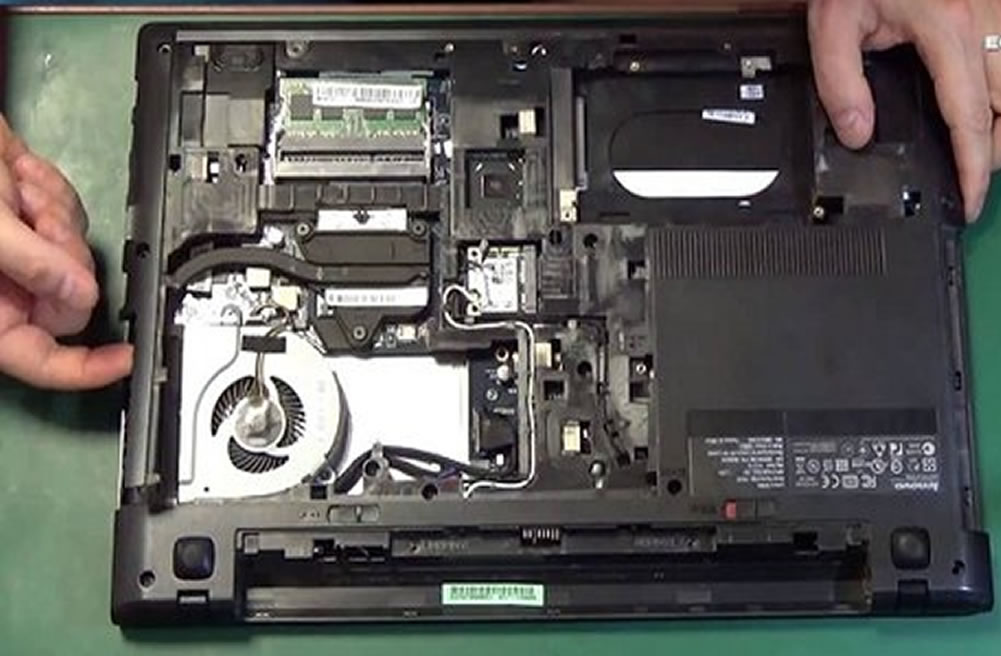
If thermal management was neglected when the laptop’s chassis was designed, if the fans are positioned incorrectly, if the ventilation channels are insufficient, if the fans are low quality, and on top of all this, if the chassis is plastic, then because plastic can’t conduct heat, the generated heat doesn’t spread out across all the surfaces. We end up facing an overheating computer problem, and this is why the laptop runs noisy.

Laptop cooling pads that go under the laptop are even sold to help compensate for laptop overheating. Even though these provide a certain level of cooling, they can’t cure laptops with a severe overheating problem. Still, it’s worth trying one as a solution for a laptop overheating problem. (picture above)
Insufficient Processor Power
If we push our computer beyond its capacity, for example if we run a game with intensive 3D graphics, it’s a normal result for the laptop to overheat. Since such software requires intensive computing capacity, the processor starts working excessively. Just like the classic incandescent bulbs in homes (now LED bulbs are preferred), the transistors on the processor generate heat as a result of the resistance they offer to the excessive current drawn through them.
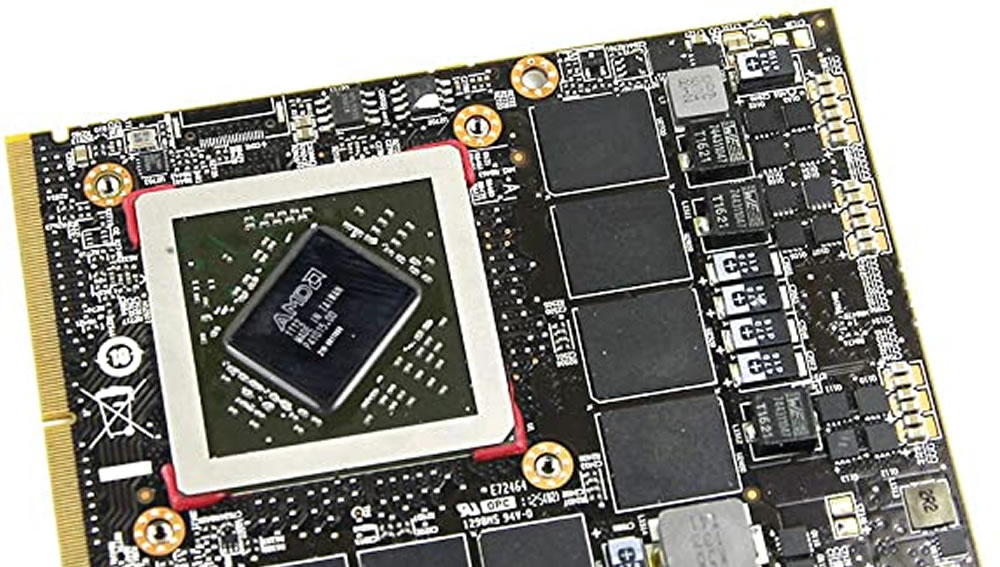
Let’s also add this: a laptop, regardless of its capacity, will inevitably experience issues like overheating and loud operation when used for 3D gaming. The strained processor will heat up, the fans will run to keep the heat from reaching dangerous levels, and fan noise will therefore be unavoidable — especially after long periods of use, that is, once dust has built up in the fans. Most laptop users have experienced this problem. After a while, the computer starts overheating to the point where it will warm the room in winter and burn your knees in summer. The fan noise becomes so annoying that you either need to have the fan cleaned or replace it entirely.
On computers that will be used heavily for this kind of gaming, using a separate graphics card mounted externally on the motherboard (a discrete graphics card) will take on part of the processor’s heavy load and lighten it.
Dusty or Malfunctioning Fans
We might notice that our computer, which ran quietly when we first got it, gradually starts running noisier after about 1-2 years. This is usually because the fans have gotten dusty. Dust accumulating between the fan blades can block heat from being expelled through the air channels. This dust can cause the fans to run unhealthily due to friction. In some cases, a fan can even stop completely. Another fan tries to take over the work the non-functioning fan should be doing, and because it’s spinning at excessive speed, it runs noisily.
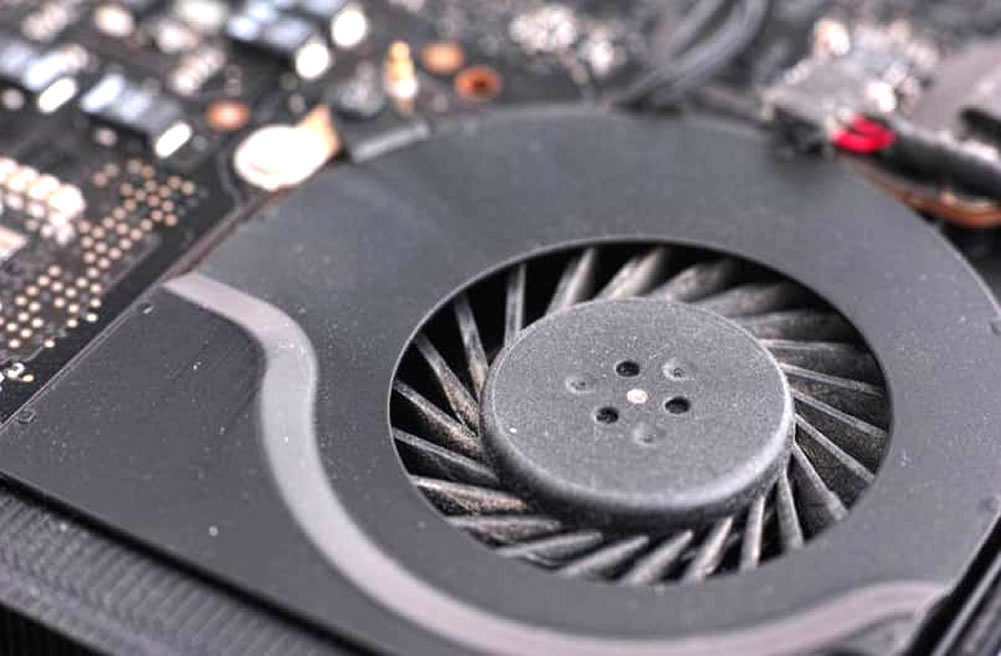
So, if a computer that ran quietly at first has started running loudly after extended use, we can suspect the fans. Having the fans cleaned at a repair shop can help reduce fan noise. Replacing them with new fans might also solve the laptop’s overheating problem.
Your Usage Habits
Maybe you like watching movies with your laptop in bed, all cozy. You’re under the blanket, your computer’s on top. But after a while, the computer starts running loud enough to drown out the movie sound. Well, could your laptop, sitting on top of the comforter, be trying to tell you something? Maybe it’s suffocating.

Yes, some of us don’t pay attention to this. Some laptops have their air vents on the bottom. When sitting on a desk, the heated air inside can escape through these channels. But when your laptop is buried under a comforter, the heated air struggles to find a way out. As the internal air temperature rises, the fans run faster and louder.
The Fans Running Excessively Because of an Unstable Program or a Virus
If you’re wondering why your laptop’s fan keeps running constantly, the reason could be a program running in the background that’s straining your computer’s processor. The reason a laptop runs noisy could be an innocent program from a piece of software that isn’t running properly. It could also be a virus.
Some viruses aren’t written to damage your computer, but to use your computer’s processor to serve the other purposes of the person who wrote the virus. These types of viruses use your computer as a zombie computer. For example, for a hacker to succeed in what’s called a DDoS attack on a website, as many computers as possible need to attack it at the same time. For this purpose, some hackers distribute innocent-looking “cracks” or “patches.” Users who think they’ll get to use a paid program without paying for it happily download these.

If you’re unknowingly running this kind of software, your computer is constantly exchanging data, and the laptop fan runs non-stop.
If your laptop’s fan keeps running constantly and you suspect this might be the cause, on Windows computers you can press CTRL+ALT+DELETE to open the Task Manager and see how much load each process is putting on the processor. MacBook users can track this through Activity Monitor.
To prevent this kind of situation, it’s recommended to prefer licensed software, keep your system firewall active, and use antivirus software. There are very good free antivirus programs available online. For example, Avira Antivirus, AVG Antivirus, and Comodo Antivirus.
In this article on why laptops run noisy, we covered the possible reasons laptops overheat. For those wondering why a laptop fan keeps running constantly, we outlined the likely causes and tried to offer solutions. Until we meet again in a new article.
Fan Speed and Dust
Fan noise in laptops generally increases due to dust buildup in the ventilation channels.
Thermal Paste Drying Out
With prolonged use, the thermal paste on the processor drying out can lead to more heat and more fan noise.
Surface Ventilation
Using the laptop on a flat, hard surface improves cooling by allowing better air intake from the bottom.
Related Questions
This is usually caused by dust buildup inside the chassis, degraded thermal paste, or a heavy program running unnoticed in the background. The fans kick in earlier than they should because the system is being strained for a reason it shouldn’t actually need to be.
If a chassis design has insufficient ventilation channels or incorrectly positioned fans, the heat generated can’t be expelled fast enough. This design flaw puts that model at a disadvantage compared to others when it comes to overheating and noise.
Related Posts
 The 10 Best Ways to Speed Up Windows 10
  How Safe Is It to Download a DLL File?
  Best Jewelry Design Programs
  The Best Free CAD Software for 3D Print Design
  How Do We Delete Files That Won’t Delete on macOS
  macOS Big Sur Parallels Desktop Internet Issue
  Recording Screen Video on Mac OS X. Screen Capture Without Software
  Differences Between Fusion 360 and AutoCAD