
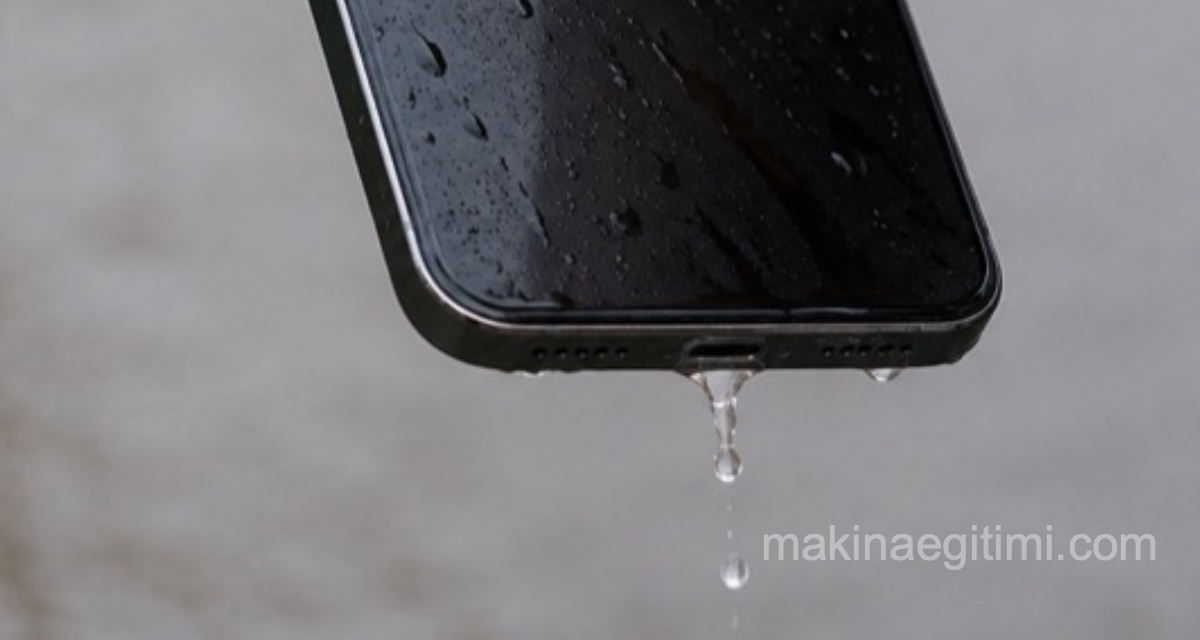
Short answer: Don’t bury a phone that’s fallen in water in rice, don’t turn it on, and don’t plug it in to charge. Unplug the charging cable, gently tap the phone against your palm with the charging port facing down, and let it sit in a dry spot with airflow for at least 30 minutes. If the “liquid detected” warning persists, wait up to 24 hours. If it was seawater, soapy water, or a sugary drink, take it to a repair shop even if the phone still works.
The phone fell into the sink. Or a glass tipped over onto it. The first thing that comes to mind: a bowl of rice.
This advice has become so widespread that it’s now almost a reflex. But Apple doesn’t recommend it on its own support page — in fact, it explicitly warns that small particles of rice can damage the device.
The correct procedure for a phone that’s fallen into water is actually much simpler and requires far less intervention. Here’s exactly what to do, step by step.
The correct procedure: the first 30 minutes
Apple’s official steps (the logic is the same regardless of brand):
1. Unplug the charging cable immediately, and don’t plug it back in. Applying power to a wet device is what actually kills the motherboard. Water alone usually doesn’t kill it; corrosion caused by an energized circuit does.

2. Gently tap the phone against your palm, with the charging port facing down. The goal is to let gravity drain out any liquid that’s pooled in the port.
3. Let it sit in a dry spot with airflow for at least 30 minutes. Room temperature with some ventilation is enough. You don’t need any fancy setup.
4. After 30 minutes, try charging it. If the “liquid detected” warning appears again, wait up to 24 hours. The warning isn’t a malfunction — it’s a protective mechanism.
5. Wireless charging is safe during this time — as long as the back of the device is dry.
Things you absolutely should not do
Rice. It doesn’t work; on top of that, dust and starch particles get lodged in the charging port and speaker grilles.
Hair dryer, radiator, oven, sunlight. External heat damages the internal seals and adhesive, and instead of drying out the moisture, it pushes it deeper into the device.
Compressed air. Blows the water in even deeper.
Sticking a cotton swab or napkin into the port. Leaves fibers behind and pushes the water further in.
Shaking the phone hard. Spreads the liquid throughout the device.
Turning it on just to “check if it works.” The most common and most costly mistake. Powering a wet circuit can cause instant, permanent damage.
If water got into the speaker: the water-eject feature
If the sound comes out muffled, there’s water in the speaker. This requires playing a low-frequency tone to physically push the water out — that’s exactly what the Apple Watch’s “Water Lock” feature does.
- iPhone: You can add the commonly used “Water Eject” shortcut in the Shortcuts app.
- Samsung: The Samsung Members app has a built-in water eject / speaker cleaning routine.
Hold the phone with the speaker facing down and repeat the process 2–3 times.
What does an IP rating actually mean — and not mean?
Your phone’s box might say IP67 or IP68. This means “water resistant” — not “waterproof.”
| Rating | Meaning |
|---|---|
| IP67 | Dust-tight; withstands 1 meter of fresh water for 30 minutes |
| IP68 | Dust-tight; withstands deeper/longer conditions specified by the manufacturer (conditions vary by brand) |
Three things people don’t know:
1. The test is done with fresh, still water at room temperature. Seawater (salt is both conductive and corrosive), chlorinated pool water, hot shower steam, and pressurized tap water all fall outside this coverage.
2. The rating is measured on a brand-new device and degrades over time. As the adhesive ages, as the phone gets dropped, as the seals compress, and after every repair, water resistance drops. A three-year-old IP68 phone is not the same as that phone on day one.
3. Almost no manufacturer covers liquid damage under warranty — despite the IP rating. This doesn’t mean the rating is meaningless; it means it doesn’t protect you when it comes to warranty coverage.
How does a repair shop tell? The Liquid Contact Indicator (LCI)
Inside your phone’s SIM tray slot, there’s a small absorbent sticker. This is called the Liquid Contact Indicator (LCI).
- White or silver = no liquid contact
- Red or pink = liquid contact has occurred
This is the first thing technicians check, and it’s exactly what turns a warranty claim into a paid repair.
You can check it yourself: Remove the SIM tray and shine a flashlight into the slot. This is also a spot you should always check when buying a used phone.
If the camera fogs up from the inside
This doesn’t necessarily mean the phone fell into water. Walking from a cold room into the warm outdoors, bathroom steam, or a day spent by the pool is enough to cause it too.
What to do: Turn off the phone, place it somewhere warm, dry, and ventilated, and wait 24–48 hours. No rice, no radiator, no hair dryer.
Red flag: If the fog lasts more than 48 hours, or keeps coming back repeatedly, the water seal has failed. In this case, your phone is no longer water resistant; the next time it encounters liquid, it will go straight inside.
Cases where you should go to a repair shop even if the phone still works
Corrosion is a progressive process. A phone that works fine today can die three weeks from now. A professional ultrasonic cleaning, done within the first few days, can genuinely save the motherboard.
Don’t wait in these situations:
- If it came into contact with seawater, a sugary drink, or soapy water — salt and sugar residue keeps corroding even after it dries
- If the phone was turned on while wet
- If sound, camera, or charging behavior has changed afterward
- If there are spots or discoloration on the screen
- If you see green-white corrosion in the charging port
And one more thing: if it says “liquid detected” even though it never got wet
The “liquid detected” warning can appear even if you never got the phone wet at all. The most common cause of this isn’t moisture — it’s pocket lint that’s built up in the charging port.
In short: turn off the phone, gently scrape the side walls of the port with a wooden toothpick, and pull out the compacted lint. Don’t use anything metal.
Frequently Asked Questions
No. Apple explicitly states that rice particles can damage the device. Rice doesn’t pull moisture out of the inside of the device; it just lets dust and starch particles get lodged in the ports. The correct method is to let it sit in a dry spot with airflow.
At least 30 minutes. If the “liquid detected” warning persists after that, wait up to 24 hours. Fogging inside the camera requires 24–48 hours.
It disappears on its own once the charging port is completely dry; this usually takes a few hours, sometimes up to 24. Forcing the phone to charge despite the warning can lead to corrosion and permanent damage.
IP68 tests are done with fresh, still water at room temperature. The salt in seawater is both conductive and corrosive, and falls outside that coverage. A phone that’s come into contact with seawater should be taken to a repair shop as soon as possible, even if it still works.
Almost no manufacturer covers liquid damage under warranty. Repair shops detect liquid contact by checking the Liquid Contact Indicator in the SIM slot; if the indicator is red or pink, the job turns into a paid repair.
Related Posts
 The Best iPhone Call Recording Apps
  Reducing Phone Ads Without Downloading an Ad Blocker App
  The 10 Best Apple Watch Apps
  Lesser-Known Voice Assistant Commands That Make Life Easier (Siri, Google Assistant)
  Best 8 Wireless Earbud Recommendations – 2023
  Why Does My Phone’s Battery Drain So Fast? 5-Step Fix
  “Storage Full” Warning: 6 Ways to Free Up Space Without Deleting Photos
  WhatsApp Notifications Arriving Late: The Samsung and Xiaomi Fix