
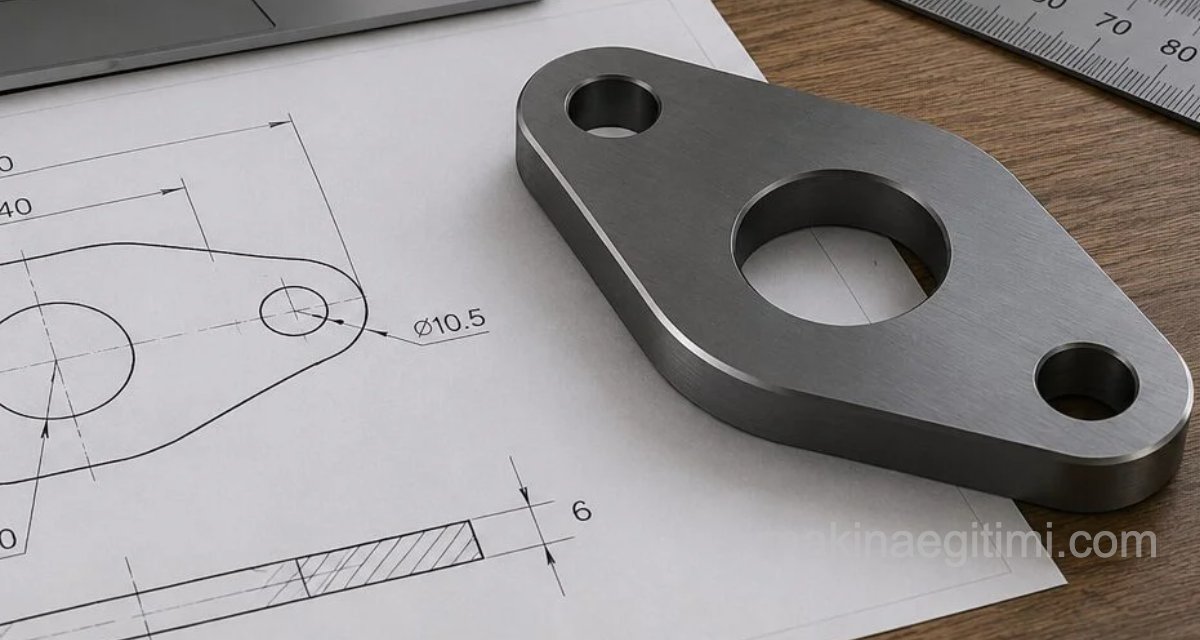

A step-by-step video walkthrough of a sample SolidWorks 3D solid model drawing exercise.
Commands used:
Line (Tangent snap, centerline)
Circle / Smart Dimension / Mirror / Trim / Boss-Extrude
Related Posts
 SolidWorks Solid Modeling Examples
  SolidWorks Practical Solutions and Tips-2
  SolidWorks Solid Model Exercise-9 SolidWorks Ready-Made Drawings – Door Bolt Assembly and Detail
  SolidWorks Assembly Drawing Examples – Stuffing Box
  What Is SLDPRT, How Do You Open an SLDPRT File?
  3D-Print-Ready Cat & Mouse Automaton Toy
  SolidWorks Splined Shaft Drawing – Tutorial and Files