
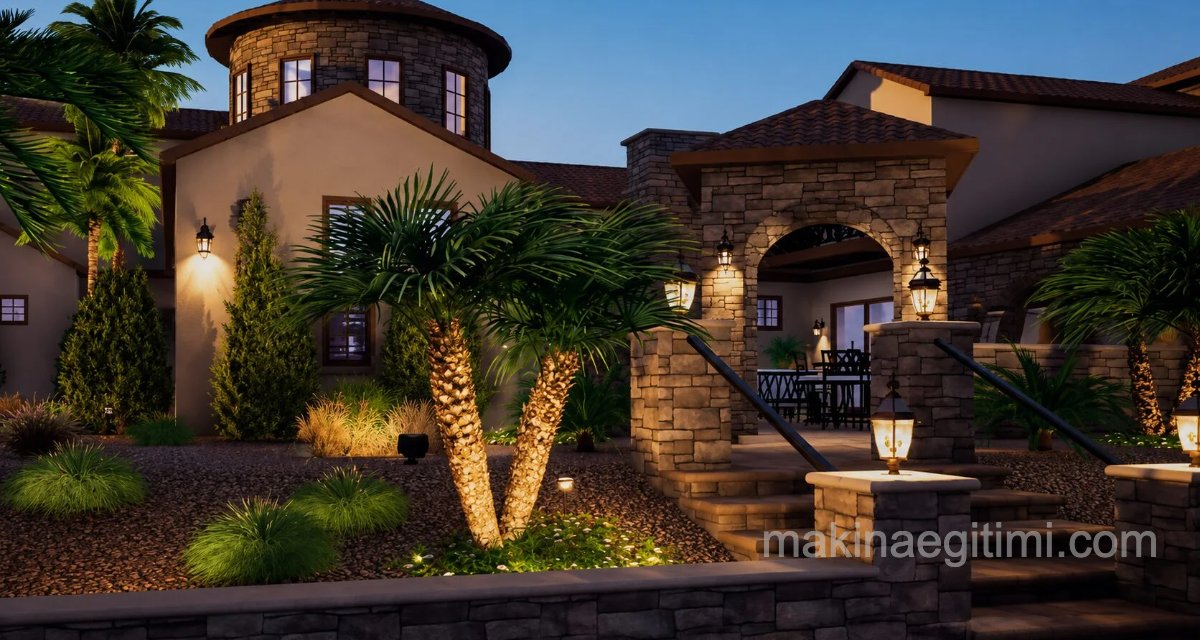
In this article, we’ve put together a review of the best landscape design software on the internet, for those interested in landscape architecture — whether amateur or professional — who want to design their own home or garden on a computer. Naturally, what’s good for you might sometimes be bad for someone else. So when evaluating these reviews, you should decide based on your own needs, skills, and budget. We hope this article can give you an idea.
Dynascape Design
This is by far one of the most comprehensive forms of landscape design software available. It comes with some of the most robust features and is one of the popular software packages used by landscape designers. You can make precise plans that will be useful when you want to draw up suitable floor plans and even buildings.
Add the Right Details
One of the most important features of this software is the amount of detail you can add. When working on a landscape project, you need to make sure you incorporate the right details into the project. When details are embedded into the designs, it becomes easier to replicate in real space, and the chance of error is reduced.

Easy Conversion to Real Space
One of the most important aspects you should look for in landscape design software reviews should be how easily the designs in the software map to a real space. If you can’t map the change, it won’t help you, and in such cases the software is unlikely to be useful. Dynascape is one of the software packages that lets you convert designs easily and effectively into real space. You’ll find colorful drawings and 3D viewing angles that make it easy to grasp the effectiveness of modeling the landscape.
DynaScape Landscape Promo Video
Website: https://www.dynascape.com/solutions/design/
YouTube: https://www.youtube.com/c/dynascapesoftware/videos
Lights, Colors, and Graphics
To achieve a complete and realistic approach and to create a plan to match, you need to use some of the best graphics and illustrations in your models. Dynascape offers all this and more once again, so you’re unlikely to run into any problems.
Overall, if you look at landscape design software reviews for Dynascape, you’ll see that it’s a good piece of software, ideal for landscape projects of all sizes and types. You should be able to design accurate models and fill them in with excellent detail when needed.
Realtime Landscaping Plus
Available for Windows PC, this software is one of the highest-rated packages commonly used by landscape designers. Some of the important points and features offered by this program are as follows.
A User-Rich Interface
When it comes to modeling and landscape design, it’s important to make sure the interface is user-friendly. This software is designed so you won’t have trouble operating it. You can start a new project, and most of the features are listed as options. You can select what you want to include, and you may not need any help to run this software.

Adding a Realistic Touch
When working on landscape projects, making designs and models, you need to make sure you can incorporate the right touch of realism, as this will help you produce some of the winning designs. This software offers some of the best realistic elements to help you build models with finesse and excellence.
Realtime Landscaping Plus is designed from the ground up to be easy for everyone to use. Unlike other landscape software, no prior landscape design or CAD experience is required.

Realtime Landscaping Plus comes with more than 5,300 highly detailed landscape plants, including trees, shrubs, flowers, cacti, palms, and more.
Import a digital photo of your home and design the surrounding landscape. Or, if you prefer to build a fully 3D home, you can do that too using the extensive door, window, siding, and roof library included.
Realtime Landscaping Plus Promo Video
Website: https://ideaspectrum.com/home-landscaping-software/
FloorPlan Home & Landscape Pro
This is a desktop application that runs on any Mac running macOS 10.11 or later with 3 GB of available storage and at least 8 GB of RAM (if you’re on a PC, 2020 is the latest version). The software costs around $200.
We liked the Templates section, where you can find a wide variety of ready-made product groups like tables and chairs, or ready-made landscape sections. Everything is there to help speed up the design process. There’s also a range of accessibility features, which we were happy to see.

FloorPlan is mostly easy to use. There are many features designed to speed up the creation process, the help menu is one click away, and the interface is friendly and inviting. You can get a design in a very short time, which is a definite plus. Fine-tuning and customization are equally easy, though this is somewhat overshadowed by a potentially problematic 3D interface, where we had trouble selecting only certain objects (but not others). Definitely worth a look if you’re interested in 3D home and landscape design.
FloorPlan Promo Video
Website: https://www.turbocad.com/turbofloorplan/
3D Visualization
Landscape design software allows you to preview plant and structure arrangements in three dimensions.
Plant Database
Many landscape software packages include an extensive plant database for selecting plants suited to climate and soil conditions.
Cost Estimation
Professional landscape design tools can calculate an approximate project cost based on the selected materials and plants.
NCH Software DreamPlan
This software is designed to run on Windows (from XP onward) and Mac (10.5 and above), and is quite affordable: Plus is a commercial license, which costs $40. If you only need it for personal use, it’s $35.

Not only can you design and furnish an entire home, but you also get tools to extend your creation process outdoors and easily design your garden or land, and as you’d expect, the software comes with an extensive library of plants and outdoor furniture that you’re free to customize.

NCH’s DreamPlan is software that helps you build a multi-level building, modify it, and customize its interior and exterior to your heart’s content. It’s designed to make implementing changes easy, and even offers ways to help you understand the app’s inner workings by giving you links throughout the interface (via thin blue circular camera buttons) to specific video tutorials. The program comes with a free trial period — definitely worth a look.
DreamPlan Promo Video
Website: https://www.nchsoftware.com/design/index.html
Space Designer 3D (online)
Perhaps the best option for beginners. Space Designer 3D is an online service, meaning it runs from a browser regardless of the platform you’re using. Unfortunately, it doesn’t offer a free plan; subscriptions range from $25 for Normal to $100 per month for Team. There’s also Casual, which lets you pay $10 per project. However, if you’d like to try it before buying, check out the Demo option to get an idea of what the service offers.

The main focus of this program is interior design, but landscaping your garden with trees, plants, and flowers is also possible. That said, you can’t change the elevation of the ground, which limits you to completely flat gardens, but it may be enough to start visualizing your outdoor space.
Space Designer 3D Promo Video
Website: https://www.spacedesigner3d.com/
VizTerra 3D Landscape Designing
VizTerra offers a fluid interface, intuitive tools, and a comprehensive 3D library that makes it seamless to draw in 2D, turn your ideas into 3D, and then build a fully interactive 3D presentation to share instantly with your clients.
Everything you need to complete your design is ready for you in the 3D library; you just drag and drop items directly into your design.

Interactive landscape design software tools give you the power to add lush nature sounds, transition the scene from day to night, and help your clients imagine themselves enjoying their new space.
VizTerra Promo Video
With VizTerra’s unique, powerful landscape software tools, you can select the perfect camera angles, highlight special features, and put the spotlight exactly where you want it.

VizTerra’s video storyboard transforms the video creation process: in one easy step, you can create flashy, professional videos with your landscape software that are ready to share instantly with your clients on Vimeo and YouTube.
The software costs close to $100. However, you can also download a trial version from the website.
Website: https://www.structurestudios.com/software/3d-landscape-design-software
Related Questions
An amateur user needs a simple, easy interface, while a professional landscape architect looks for detailed scaled plans and advanced tools. These different needs make different programs more suitable for different users.
The more accurately each detail in the design (such as plant size or material dimensions) is entered, the more smoothly that design translates into the real garden. Missing or rough details can lead to unexpected mismatches at the implementation stage.
Related Posts
 What Is Google One. Its Plans and Pricing
 Differences Between Fusion 360 and AutoCAD
 Why Does a Laptop Run Noisy? Suggested Solutions
 Recording Screen Video on Mac OS X. Screen Capture Without Software
 What to Look for When Buying a Flash Drive
 SolidWorks and Autodesk Inventor Comparison
 The Best Laptops of 2022
 How Do We Delete Files That Won’t Delete on macOS